

Fortify Your Digital Presence: A Comprehensive Guide to Building a Secure Website for National Cybersecurity Awareness Month
In our increasingly interconnected world, the internet serves as a vast and indispensable ecosystem. It’s where we foster connections with loved ones, discover entertaining content, engage in retail therapy, and even establish the foundations of our businesses and professional careers. However, this boundless digital landscape also harbors inherent risks, becoming a breeding ground for malicious actors attempting to compromise personal and financial information. As we observe National Cybersecurity Awareness Month, it’s a crucial time for every internet user and website owner to reflect on and implement robust security practices. Whether you’re browsing, operating an e-commerce platform, or managing a blog, understanding and applying fundamental security measures is paramount to creating a trustworthy online environment and safeguarding your visitors’ sensitive data.
Building a secure website is no longer an option but a necessity. Google and other search engines prioritize secure sites, influencing search rankings and user trust. This guide will walk you through essential steps to fortify your website, ensuring data integrity, user privacy, and ultimately, a safer internet experience for everyone.
Secure Your Site with SSL: The Foundation of Trust
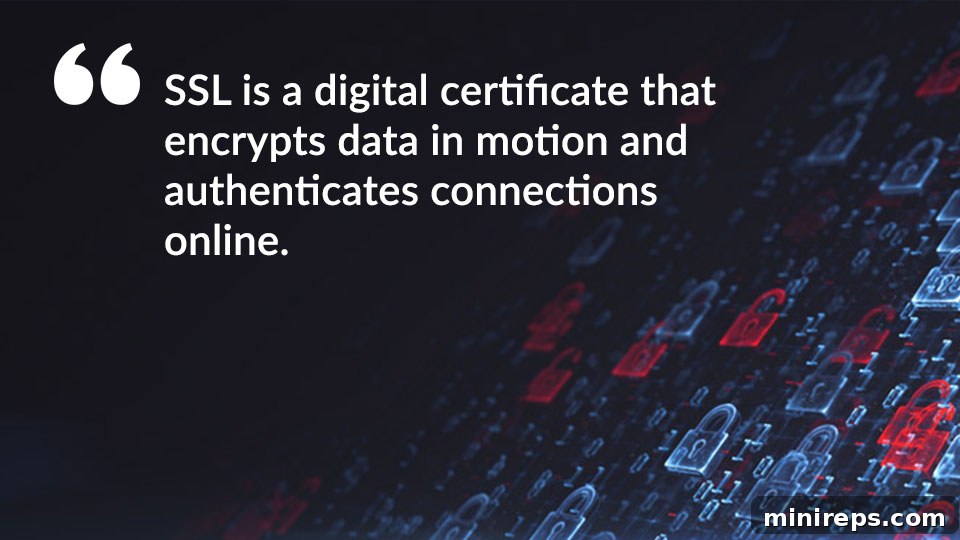
As a responsible website owner, your primary duty includes ensuring that all traffic to and from your website is encrypted and secure. This is achieved through the implementation of an SSL/TLS (Secure Sockets Layer/Transport Layer Security) certificate. An SSL certificate acts as a digital bind that authenticates the identity of your website and encrypts the information exchanged between your user’s browser and your server. By encrypting this traffic, you effectively prevent third parties, such as cybercriminals or eavesdroppers, from intercepting, reading, or tampering with communications.
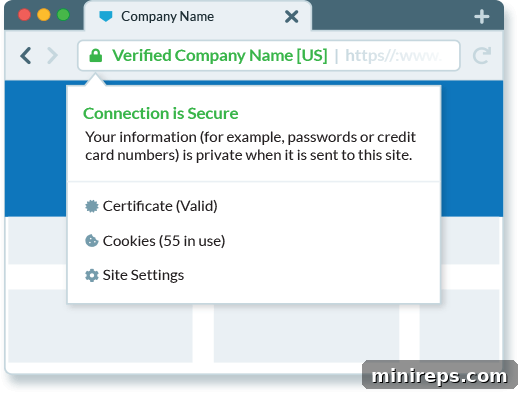
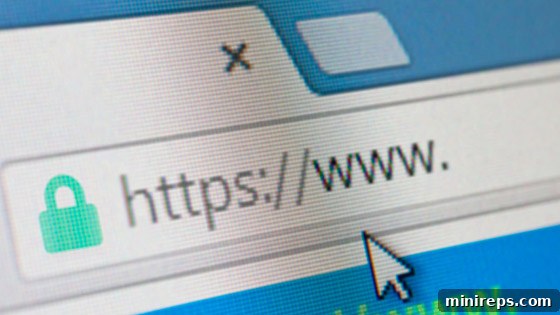
The visual cues of a secure website are unmistakable. Users will notice “HTTPS” (Hypertext Transfer Protocol Secure) preceding your domain name in the URL bar, often accompanied by a prominent padlock icon. For higher-level certificates, the company name itself might be displayed, providing an even stronger visual assurance of authenticity. These indicators signal to your visitors that their data – whether it’s login credentials, credit card details, or personal inquiries – is being transmitted securely and privately.
Consider the analogy of sending a confidential letter. Would you prefer to send it openly on a postcard, where anyone can read its contents, or sealed within a sturdy envelope? The envelope serves as a perfect real-world parallel to an SSL certificate. It encapsulates your private message, ensuring that only the intended recipient can access its contents, safeguarding it from prying eyes and unauthorized alterations during its journey.
Beyond the critical aspect of data protection, installing an SSL certificate offers significant benefits for your website’s performance and visibility. Search engines like Google actively favor HTTPS-enabled websites, often granting them a slight ranking boost. This means a secure site is not only safer but also more likely to be discovered by potential visitors. Furthermore, browser warnings against insecure (HTTP) sites can deter users, leading to higher bounce rates and diminished trust. Investing in SSL is an investment in your site’s credibility, user experience, and search engine optimization.
How to Acquire and Implement an SSL Certificate
Obtaining an SSL certificate is a straightforward process, and various options exist to suit different security needs and budgets. Here’s a general guide on how to secure your website:
- Choose a Reputable Provider: Start by visiting a trusted domain and SSL certificate provider like 101domain.com. It’s essential to select a provider that offers reliable certificates and excellent customer support.
- Explore SSL Certificate Options: Review the available selection of SSL certificates. Certificates vary in validation levels:
- Domain Validated (DV): These are the quickest and most affordable, verifying only the ownership of the domain. Ideal for personal blogs or informational sites.
- Organization Validated (OV): Requires validation of domain ownership and the organization’s existence, offering more trust. Suitable for business websites.
- Extended Validation (EV): The highest level of validation, involving a thorough vetting process of the organization. EV certificates display the company name in the browser’s address bar, providing maximum assurance and trust for e-commerce sites and financial institutions. If you have stricter security or compliance requirements, explore expert-level SSL options, such as the extensive range of 17 certificates from Sectigo, a leading certificate authority.
- Add to Cart and Configure: Once you’ve selected the appropriate SSL certificate for your needs, add it to your cart. During the checkout process, you will be prompted to specify the domain name you wish to secure.
- Automatic or Manual Installation:
- For domains hosted with your provider: Many providers, including 101domain, offer automatic installation services. If your domain name is hosted with them, your SSL certificate will often be added to your site automatically, streamlining the setup process.
- For domains hosted elsewhere: If your domain is hosted with an outside provider, you will typically need to manually install the certificate. This involves generating a Certificate Signing Request (CSR) from your hosting control panel, submitting it to your SSL provider, and then installing the issued certificate files on your server. Comprehensive guides, such as this setup guide, are usually available to walk you through the process step-by-step.
- Verify and Test: After installation, always verify that your SSL certificate is correctly configured. You can use online SSL checkers to confirm that your certificate is valid, properly installed, and that all pages on your site are loading over HTTPS without mixed content warnings.
A Beginner’s Guide to SSL for Secure Sites
Here’s Why Extended Validation Certificates Still Matter
Secure Site Step 2: Ensure Your Entire Website is Encrypted
While installing an SSL certificate is a critical first step, its effectiveness can be undermined if not applied comprehensively across your entire website. A single page left unencrypted, even an obscure one you believe customers will never access, can act as a vulnerability. This unencrypted door is all a determined hacker needs to gain unauthorized access to the rest of your site, compromise user sessions, or inject malicious code. The risk extends to pages that simply redirect to HTTPS pages; an unencrypted landing page can still expose referrer information or allow initial interception before the secure redirect occurs.
Cybercriminals are constantly seeking weak points. Any non-encrypted page can create a “mixed content” issue (where secure content is loaded alongside insecure content), trigger browser warnings, and open a gateway for snoopers to monitor or manipulate data. Therefore, it is imperative to secure your site from the customer-facing frontend to the intricate backend infrastructure, and absolutely every page, image, script, and stylesheet in between. This holistic approach ensures consistent protection and maintains user trust across all interactions with your digital platform.
Implementing Full-Site Encryption: Beyond Basic SSL
Achieving full-site encryption involves more than just installing an SSL certificate; it requires configuring your server and site to *always* use HTTPS. This can be accomplished through various methods, with HTTP Strict Transport Security (HSTS) being one of the most robust.
Leverage HSTS-Preloaded Top-Level Domains (TLDs) for Immediate Security
HTTP Strict Transport Security (HSTS) is a web security policy mechanism that helps to protect websites against downgrade attacks and cookie hijacking. When a web server declares an HSTS policy, browsers that support HSTS will automatically connect to that server using HTTPS, even if the user explicitly types HTTP or follows an HTTP link. This eliminates the window of vulnerability where a user might initially connect insecurely.
The HSTS preload list is a critical component of this. It’s a list of websites hardcoded into modern web browsers (like Chrome, Firefox, Safari, Edge) that tells them to *only* load these sites over an encrypted HTTPS connection. This means that even the very first connection attempt to such a site will be secure, bypassing any potential initial insecure HTTP request. For instance, new domains like .app, .dev, and .page are automatically included on the HSTS preload list. If you choose to use one of these TLDs for your website, you gain the significant security benefits of HSTS from day one, simply by installing your SSL certificate. The browser will know to enforce HTTPS before it even tries to visit your site, providing an unparalleled layer of protection against various attacks.
Manually Applying for the HSTS Preload List
If your website is not using a TLD that is already on the HSTS preload list, you still have the option to submit your domain for inclusion. You can individually add your website to the list by visiting hstspreload.org and following the instructions. However, it’s important to understand that this process is not instantaneous. Submitting your site requires careful configuration to ensure all subdomains are also covered and that you are committed to maintaining HTTPS indefinitely, as removal from the list is a complex and lengthy process. Furthermore, updates to the HSTS preload list in browsers are typically made only when new browser versions are released, which can take several months to propagate to all users across various browsers. This means there might be a significant delay before your site receives the full benefits of being preloaded. Despite the wait, for businesses prioritizing maximum security and long-term commitment to HTTPS, submitting to the HSTS preload list is a highly recommended step.
In addition to HSTS, ensure your web server is configured to redirect all HTTP traffic to HTTPS (e.g., using `.htaccess` rules for Apache or server blocks for Nginx). This catch-all redirection ensures that any old links or direct HTTP entries automatically land on the secure version of your site, preventing any accidental exposure to unencrypted connections.

New Trend: Google Registry Domains SSL Required

How to Submit Your Domain to the HSTS Preload List for Chrome
As National Cybersecurity Awareness Month reminds us, a secure internet is a collective responsibility. By implementing SSL certificates and ensuring full-site encryption, website owners contribute significantly to this goal, protecting their users and enhancing their own digital presence. These measures not only build trust and improve user experience but also align with modern web standards and search engine best practices. Don’t leave your website vulnerable; take these proactive steps today to build a fortress around your online assets and user data. Whether you’re launching a new venture or refining an existing one, making security a priority ensures a safer, more reputable, and more successful journey in the digital realm.
Ready to secure your digital identity? Discover the perfect domain for your secure website and begin your journey towards a safer online presence:
Search .com domains