
Gmail: Reimagining Email for Peak Productivity and Professionalism
Transform your communication strategy with Google’s flagship email service. Every Google Workspace plan unlocks a truly integrated and powerful Gmail experience.

In the digital age, email is more than just a tool; it’s the lifeline of modern business and personal communication. Yet, navigating an increasingly crowded inbox can often feel overwhelming, hindering productivity rather than enhancing it. This is where Gmail steps in, offering a robust, intuitive, and intelligent solution that transforms how we communicate. As the world’s most popular email platform, Gmail has earned its reputation for being incredibly easy to use, highly secure for business operations, cost-effective in the cloud, and universally recognized.
While many are familiar with a standard @gmail.com address, the true power and professionalism of Gmail are unleashed when it’s part of a Google Workspace plan. This upgrade provides significantly enhanced perks, most notably a professional email address ending in your own domain name (e.g., [email protected]). This instantly elevates your brand credibility and offers a suite of integrated tools designed to boost collaboration and efficiency. Whether you’re taking your first steps as a Google Workspace beginner or a seasoned Gmail hero, Google Workspace with Gmail makes it simpler than ever to manage your communications, prioritize critical tasks, and stay on top of the work that truly matters for your business’s success.
7 Innovative Ways Gmail Supercharges Your Productivity
Gmail is far more than just an inbox; it’s a dynamic hub engineered with intelligent features to help you navigate your daily tasks with unparalleled efficiency. Discover how these seven key capabilities can revolutionize your workflow, enhance collaboration, and secure your digital interactions, allowing you to achieve more every single day.
1. Accelerate Email Responses with Google AI
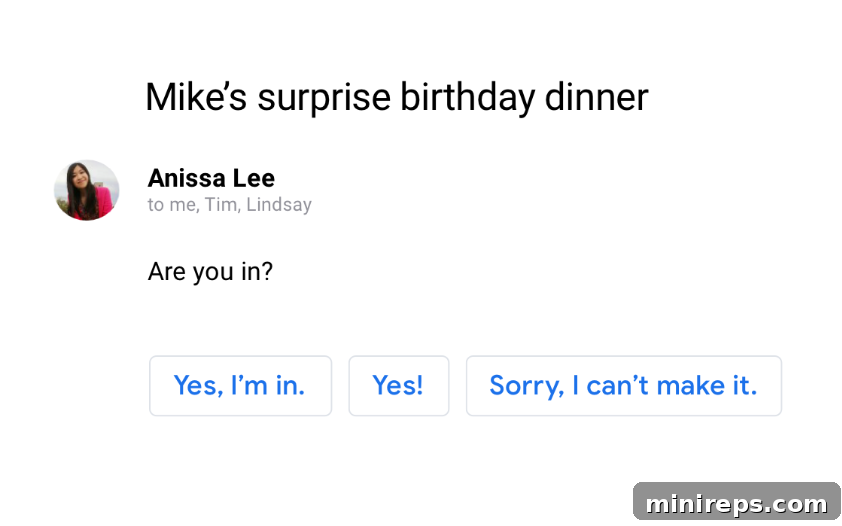
In an age where speed and precision in communication are paramount, Gmail’s integration of Google AI empowers you to respond to emails faster and more effectively than ever before. Work smarter, not harder, by leveraging features like Smart Compose and Smart Reply. Smart Compose provides real-time text suggestions as you type, predicting words and phrases to help you draft messages with incredible speed and accuracy. This intelligent assistance significantly reduces the time and effort spent on crafting each email, allowing you to move through your inbox more efficiently. Furthermore, Smart Reply offers contextually relevant, predefined responses with a single click, perfect for acknowledging messages or sending quick, professional replies. These AI-powered tools learn from your unique communication style, ensuring that all suggestions sound authentically like you. By minimizing typing and accelerating decision-making, Gmail’s AI capabilities drastically enhance your response rate, keeping your communications fluid and your projects moving forward.
2. Transition to Face-to-Face Meetings Directly from Your Inbox
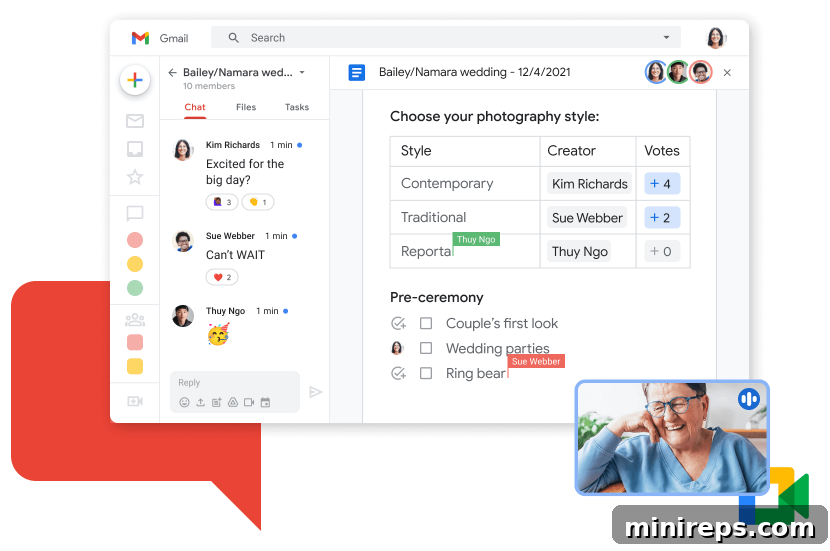
Some discussions are simply better had in person, or at least face-to-face via video. For those critical moments that demand more than just text, Gmail seamlessly integrates with Google Meet. This powerful feature allows you to initiate or join high-quality video meetings with screen sharing capabilities for up to 100 participants—all directly from your inbox. This eliminates the cumbersome process of switching applications, searching for links, or downloading software. Imagine instantly transitioning from a detailed email thread about a project update to a live video conference where ideas can be shared, complex visuals presented, and immediate feedback exchanged. This direct integration is perfect for impromptu team huddles, client presentations, or urgent problem-solving sessions where rapid, clear communication is essential. It fosters stronger collaboration and ensures that complex ideas are communicated efficiently, saving invaluable time that would otherwise be spent on lengthy email exchanges.
3. Ensure Timely Follow-Ups with Smart Nudges
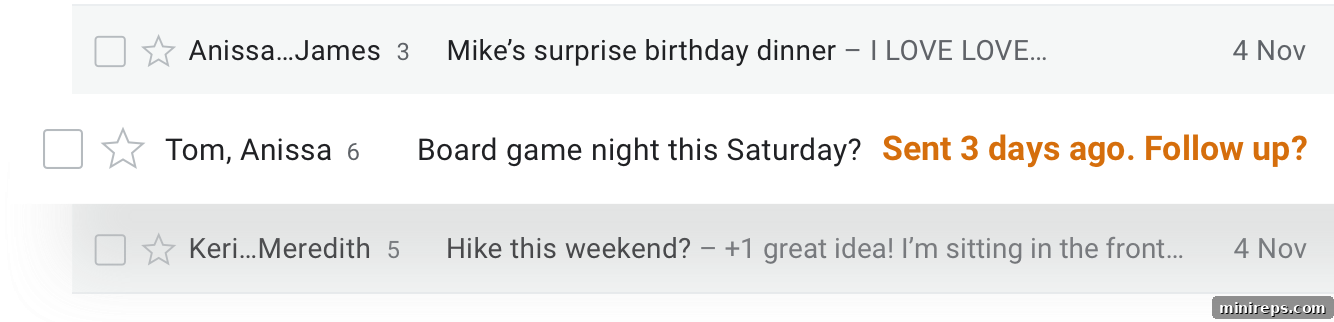
In the relentless flow of daily tasks and communications, it’s all too easy for important emails to get buried or forgotten, even with the best intentions. Gmail’s “Nudges” feature acts as an intelligent safety net, ensuring you never drop the ball on critical correspondence. This smart assistant proactively reminds you to follow up on messages where a response is pending or to reply to emails you might have inadvertently overlooked. These gentle prompts appear subtly in your inbox, ensuring that nothing slips through the cracks, from client inquiries to internal team requests. This feature is particularly invaluable during busy periods, preventing missed opportunities, maintaining strong professional relationships, and allowing you to uphold a reputation for responsiveness. By keeping crucial emails at the forefront of your attention, Nudges help you manage commitments effectively and reduce the mental load of remembering every single follow-up.
4. Take Immediate Action Right from Your Inbox View
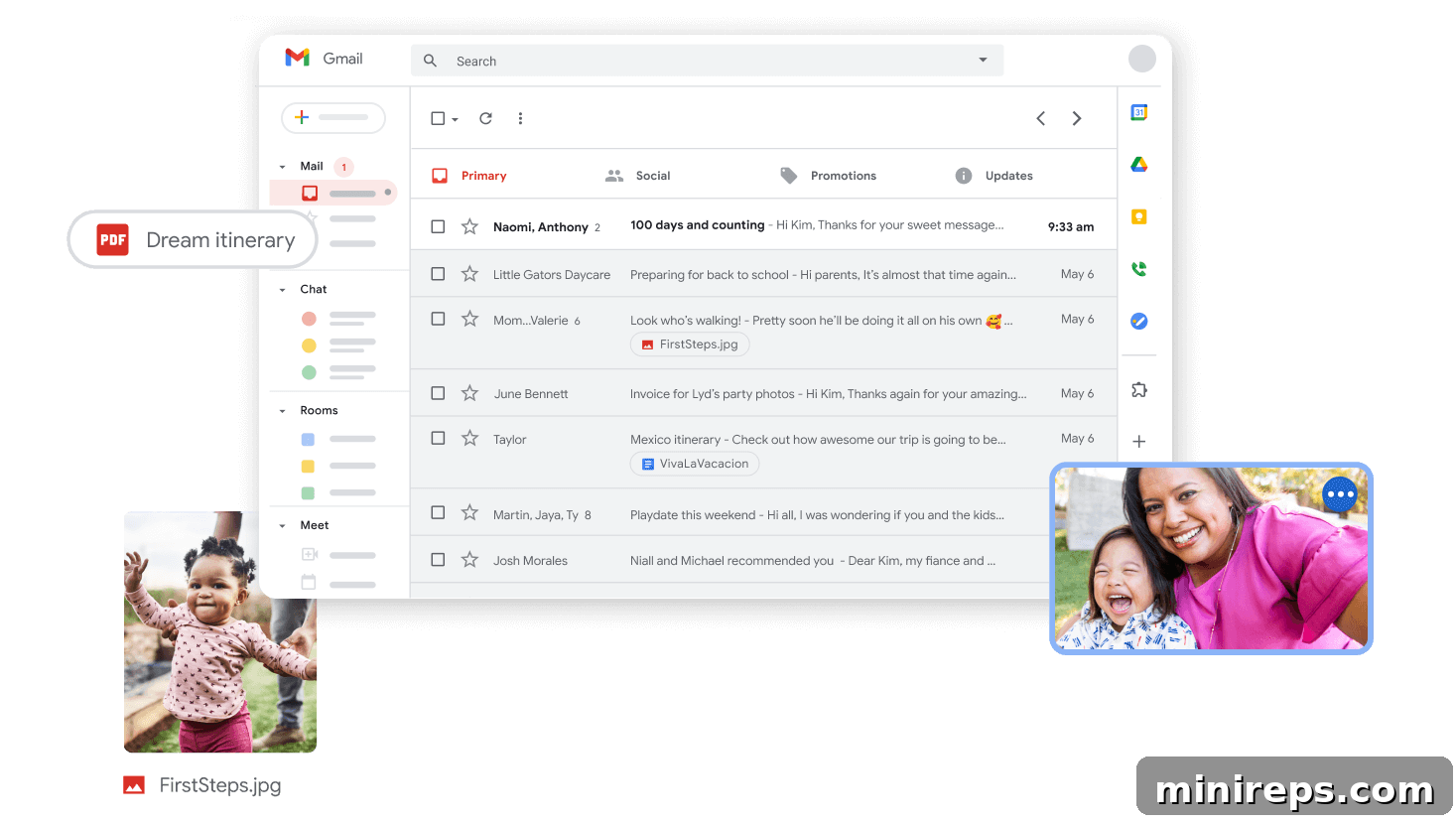
Your email inbox should be a launchpad for action, not just a repository for messages. Gmail is meticulously designed to allow you to perform critical tasks and take immediate action on emails without the need to open each one individually. From your main inbox, you can effortlessly view attachments, RSVP to event invitations, snooze messages for a more convenient time, archive old correspondence, or swiftly delete unwanted emails—all with just a few clicks. This intuitive design significantly streamlines common actions, reducing the number of steps and context switches required throughout your day. Imagine quickly scanning your emails and, in an instant, confirming your attendance at a meeting, saving an important document, or setting a reminder, all without interrupting your flow. This efficiency not only saves valuable time but also transforms your inbox into a highly productive control center for managing your daily communications and tasks.
5. Stay Secure and Proactively Avoid Suspicious Emails
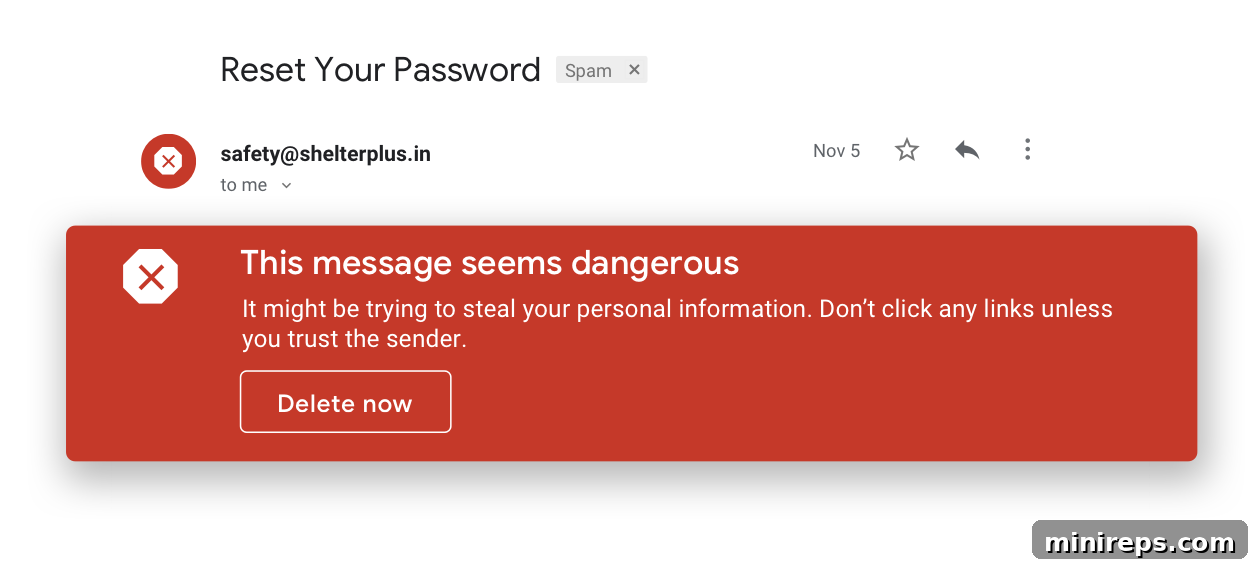
Email security is a critical concern for both individuals and businesses, and Gmail leads the industry with its formidable protection against digital threats. Gmail’s advanced security infrastructure is engineered to block an astounding 99.9% of dangerous emails—including sophisticated spam, insidious phishing attempts, and malicious malware—before they ever have a chance to reach your inbox. This multi-layered defense system employs cutting-edge machine learning and artificial intelligence to continuously identify and quarantine suspicious messages. It acts as an invisible, intelligent shield, safeguarding your sensitive data and communications. Furthermore, should an exceptionally cunning “phish-y” email manage to bypass the initial filters, Gmail provides clear, actionable warnings, empowering you to make informed decisions before interacting with potentially risky content. This robust, proactive security ensures unparalleled peace of mind, allowing you and your team to focus on core business objectives without constant worry about cyber threats or data breaches.
6. Empower Your Team to Work from Anywhere, on Any Device
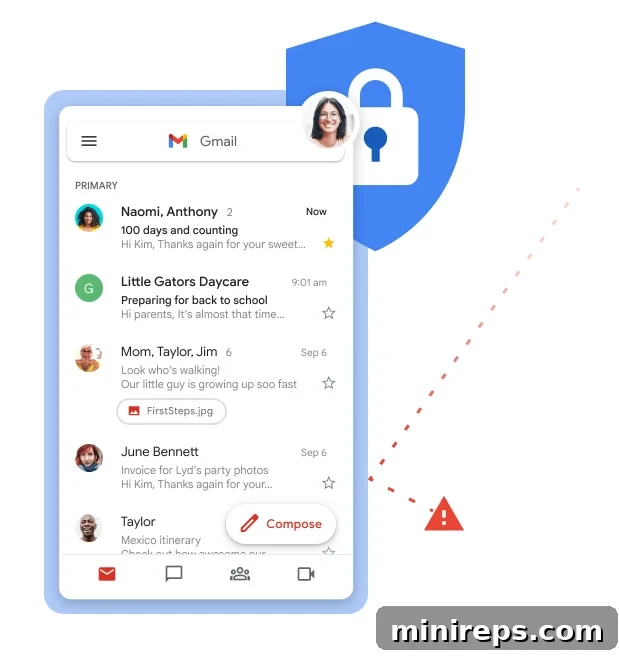
The concept of “work” has evolved beyond a physical office, demanding flexibility and accessibility from every tool. Gmail, as a fundamental component of Google Workspace, is built from the ground up to support this modern, agile approach to work. As a fully cloud-native application, Gmail liberates you and your team from geographical constraints, allowing seamless access to your complete inbox, contacts, and all integrated Google Workspace tools from virtually anywhere. Whether you’re working remotely from home, collaborating from a bustling café, or traveling for business, Gmail provides a consistent and intuitive experience across all your devices—desktops, laptops, tablets, and smartphones. This unparalleled accessibility ensures that your workflow remains unbroken, enabling you to respond to urgent emails, join video conferences, or collaborate on documents instantly. This adaptability is crucial for maintaining productivity and responsiveness in today’s dynamic global business environment, ensuring your team remains connected and efficient, no matter their location or device preference.
7. Optimize Organization with Professional Email Aliases
Effectively managing diverse roles, projects, or departments often necessitates multiple contact points without the overhead of numerous individual accounts. Google Workspace offers an elegant and highly efficient solution through email aliases. With Gmail, you can add up to 30 aliases for each user at no extra cost, providing immense flexibility for your communication strategy. Email aliases allow you to create alternative email addresses (e.g., [email protected], [email protected], [email protected], [email protected]) that all funnel directly into a single primary inbox. This feature is invaluable for managing distribution lists, creating shared inboxes for departments, or assigning specific roles without the need to create and pay for entirely new user accounts. Aliases help keep your primary inbox streamlined, enhance organizational clarity, and project a more professional brand image by directing inquiries to relevant, branded addresses. This intelligent approach simplifies inbox management, fosters better team collaboration, and significantly boosts overall operational efficiency.
Elevate Your Business with Google Workspace
Gmail is undeniably much more than just an email service; it’s the intelligent, integrated powerhouse that serves as the central nervous system for your entire Google Workspace environment. By fully embracing its advanced features—from AI-powered drafting and instant video conferencing to industry-leading security and flexible remote access—businesses of all sizes can unlock unprecedented levels of efficiency, collaboration, and professionalism. Whether you’re a startup seeking a scalable and reliable communication solution or an established enterprise aiming to streamline operations and enhance team connectivity, Gmail within Google Workspace provides the essential foundation for smarter, more secure, and deeply connected work. It empowers your team to focus on strategic initiatives and core business objectives, confident that their communication infrastructure is not only reliable but also intelligent, constantly available, and globally accessible.
Google Workspace is a comprehensive suite of cloud-based productivity and collaboration tools meticulously designed to help individuals, teams, and businesses achieve more with fewer distractions. Experience the full potential of integrated communication, smart storage, and seamless collaboration across all your projects. Discover how it can transform your daily operations. Try it yourself—for free!