


In a rapidly evolving digital landscape, effective communication is paramount for businesses to thrive. Our previous discussion highlighted how Gemini AI is revolutionizing the product launch lifecycle, from initial ideation and strategic planning to content creation, impactful meetings, insightful document generation, and compelling video production. With Gemini seamlessly woven into the fabric of Google Workspace, teams are empowered to operate with unparalleled agility, maintain peak organization, and transform ambitious ideas into tangible realities without typical constraints. This synergy fosters a dynamic environment where innovation flourishes and productivity soars.
Today, we embark on an exciting journey, commencing our in-depth exploration of individual Google Workspace applications enhanced by Gemini. Our first stop focuses on one of the most indispensable tools in any professional’s arsenal: Gmail. Whether your daily tasks involve crafting persuasive customer outreach emails, meticulously coordinating with external partners, or efficiently managing a deluge of internal team communications, Gemini’s integration into Gmail is designed to streamline these processes. It makes email composition not just easier and faster, but also significantly more creative and impactful. Join us as we uncover precisely how this powerful AI operates within your inbox and how you can leverage its capabilities to fundamentally transform your daily email writing experience, elevating your communication to new heights.
RELATED ARTICLE
Gmail: Google Workspace Spotlight
Elevate Your Inbox Management with Gemini in Gmail
The integration of Gemini’s powerful generative AI features directly into Gmail marks a significant leap forward in email productivity. This sophisticated AI functionality is available across almost all Google Workspace plans, making advanced email assistance accessible to a vast range of users. At the heart of this innovation is the intuitive “Help me write” tool. This groundbreaking feature empowers users to effortlessly generate new messages from a simple, concise prompt or to meticulously refine existing drafts, transforming the often daunting task of email composition into a seamless and enjoyable process.
In the modern business environment, where communication speed and clarity are critical, “Help me write” proves exceptionally valuable. For customer-facing teams, it ensures consistent messaging, maintains brand voice, and reduces response times, ultimately enhancing customer satisfaction. Beyond sales and support, any professional striving for clear, impactful, and consistent communication can leverage Gemini to significantly reduce the time spent in their inbox. This allows them to focus on higher-value tasks, minimizing distractions and maximizing strategic output. Whether you’re battling writer’s block, struggling with tone, or simply pressed for time, Gemini acts as your intelligent co-pilot, helping you articulate your thoughts with precision and professionalism.
Unlocking Gemini: A Step-by-Step Guide to Enhanced Email Writing
Utilizing Gemini’s “Help me write” feature in Gmail is straightforward and designed for maximum user convenience. Follow these simple steps to begin generating professional email drafts with AI assistance:
- Access Gmail: Open Gmail, either through your preferred web browser on a desktop or via the dedicated Gmail mobile application on your smartphone or tablet.
- Initiate a New Message: Locate and click the prominent “Compose” button. This action will open a new, blank email composition window, ready for your message.
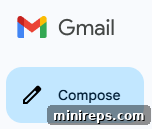
3. Activate “Help me write”: Within the new message window, you will find a toolbar at the bottom. Select the “Help me write” icon, which typically resembles a pen or a sparkling star, signifying AI assistance. This action prompts Gemini to prepare for your input.
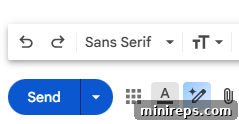
4. Input Your Prompt: A text box will appear, inviting you to type your prompt. This is where you provide Gemini with the core idea of your email. Be as specific as possible, including crucial details about the email’s topic, the desired tone (e.g., formal, friendly, urgent), and your intended audience. A well-crafted prompt ensures a more tailored and accurate first draft.
5. Generate the Draft: After entering your prompt, click the “Create” button. Gemini will then process your request and rapidly generate a comprehensive first draft of your email, typically appearing directly within your composition window.

Once the initial draft is presented, you retain full control and have several powerful options to refine and perfect your message:
- Insert the suggestion as-is: If Gemini’s draft perfectly aligns with your needs, you can immediately insert it into your email body with a single click.
- Refine the draft: Utilize intuitive options like “Formalize” to adjust the tone for professional settings, “Elaborate” to add more detail and context, or “Shorten” to make your message more concise and direct.
- Recreate the response: If the initial draft isn’t quite right, you can ask Gemini to generate an entirely new version based on your original prompt.
- Update your prompt: For a more precise result, modify your original prompt by adding more details, clarifying requirements, or changing the desired focus, then ask Gemini to create a new draft.
This iterative process ensures that you always achieve the perfect email, blending AI efficiency with your personal touch.
Real-World Applications: Gemini’s Impact Across Professional Roles
Gemini’s versatility in Gmail extends across diverse professional roles, making it an invaluable assistant for enhancing daily workflows and ensuring consistently high-quality communication. Here’s how different professionals can leverage Gemini:
Gemini in Gmail for Sales Representatives
Sales professionals constantly engage with clients, requiring personalized, persuasive, and timely communication. Gemini simplifies this, allowing reps to focus on building relationships rather than wrestling with words.
Example Prompt:
Write a follow-up email to a customer inquiring about our domain concierge service. Mention the benefits we discussed in our meeting, such as discretion, a portal where you can track our progress, and our proven track record in negotiating multi-million dollar deals and end with next steps which is payment request I sent over.
Example Output:
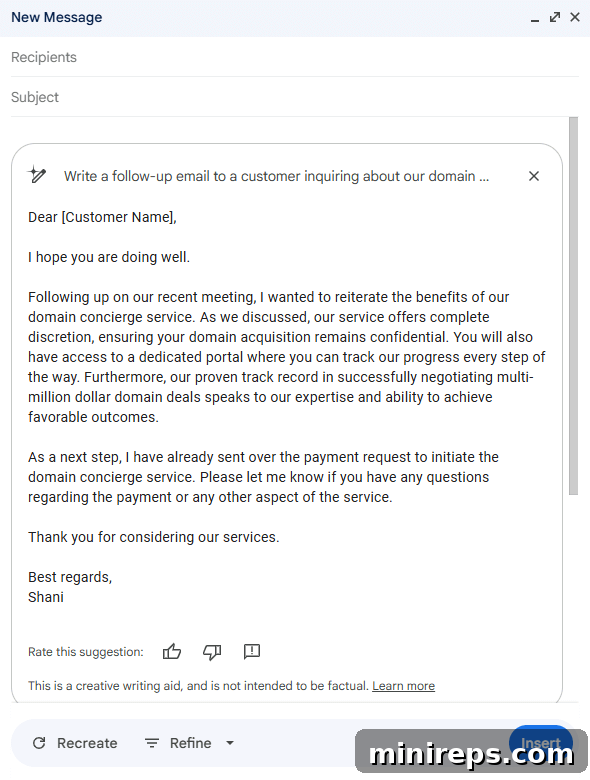
Gemini instantly drafts a polished, professional message that reiterates key selling points and clearly outlines next steps, saving valuable time for sales representatives. This ensures that every follow-up is compelling and consistent, maintaining momentum in the sales cycle and presenting a professional brand image. It helps sales teams overcome writer’s block and ensures that no critical detail is missed, fostering stronger client relationships.
Gemini in Gmail for HR Professionals
HR teams manage a wide array of internal communications, often requiring sensitivity, clarity, and adherence to company policies. Gemini helps craft these essential messages quickly and accurately.
Example Prompt:
Write an email announcement to all employees introducing the new VP of Marketing, including their background, role, and start date.
Example Output:
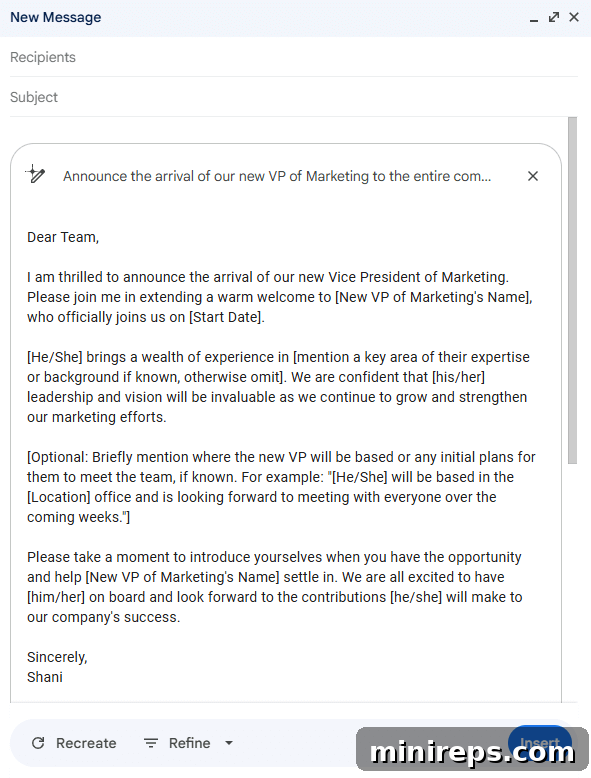
If your initial prompt is too broad, Gemini encourages iterative refinement. By revising your prompt to include specifics like “their impressive background, strategic role, and anticipated start date,” Gemini can generate a more tailored and impactful announcement. This ensures that internal communications are always clear, informative, and engaging, setting the right tone for new hires and important company updates.
Gemini in Gmail for IT Teams
IT professionals often need to communicate complex technical information in an accessible manner to a non-technical audience. Gemini simplifies this challenge, ensuring clarity and minimizing user confusion.
Example Prompt:
Write an email from the company email about upcoming security updates and downtime windows over the weekend.
Example Output:
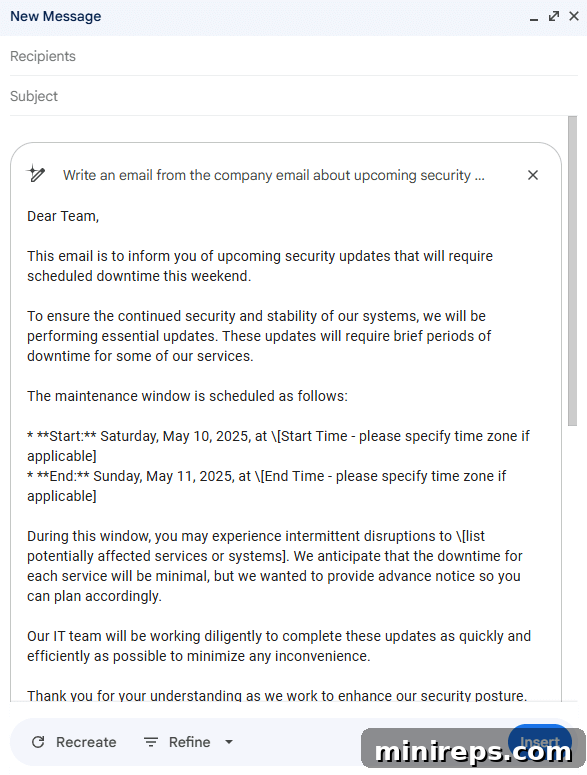
Gemini empowers IT teams to independently draft professional, client-facing emails regarding crucial updates, system downtimes, or security advisories. This reduces the need for extensive support from other departments for communication and ensures that critical technical messages are conveyed with precision and professionalism. It helps manage user expectations and maintains transparency regarding system changes, ultimately improving user trust and satisfaction.
Gemini in Gmail for Marketing Professionals
Marketing teams frequently send out promotional emails, newsletters, and campaign updates that need to be engaging, brand-aligned, and conversion-focused. Gemini helps craft compelling copy quickly.
Example Prompt:
Draft a promotional email for a new product launch. Highlight key features: AI-powered analytics, seamless integration, and 20% introductory discount. Call to action: “Learn More and Get Your Discount.”
Gemini can generate engaging subject lines and body copy that clearly articulate value propositions and drive conversions, allowing marketers to launch campaigns faster and with greater confidence.
Gemini in Gmail for Project Managers
Project managers are constantly sending updates, meeting summaries, and requests for information. Gemini ensures these communications are clear, concise, and professional, keeping projects on track.
Example Prompt:
Write a weekly project update email to stakeholders. Mention project X is on schedule, risks Y and Z are being mitigated, and next steps include phase 2 planning. Request feedback by Friday.
Gemini produces structured and informative updates that keep all stakeholders aligned and informed, minimizing miscommunication and ensuring smooth project progression. This frees up project managers to focus on strategic oversight and problem-solving.
Refine and Perfect: Effortless Editing with Gemini
Even with an intelligent first draft, the nuance of human communication often requires fine-tuning. Gemini in Gmail provides intuitive editing tools that empower you to quickly tailor your message to perfection, ensuring it aligns precisely with your intent and audience.
- Formalize: This option instantly adjusts the tone of your draft, transforming casual language into a more business-appropriate and respectful style. Ideal for professional correspondence with clients, superiors, or external partners.
- Elaborate: Need to provide more context, expand on a point, or add additional details to your message? “Elaborate” will intelligently extend the content, adding richness and depth without requiring you to re-type.
- Shorten: In today’s fast-paced world, conciseness is often key. Use “Shorten” to condense lengthy paragraphs into succinct, impactful sentences, making your message more digestible and respectful of the recipient’s time.
- Rephrase: If a particular sentence or phrase doesn’t quite sound right, “Rephrase” offers alternative ways to express the same idea. This helps you find the perfect wording to convey your message accurately and effectively, enhancing clarity and impact.
Gemini acts as an invaluable co-pilot, offering a robust starting point with an intelligently drafted message. You maintain complete control, allowing you to personalize, polish, and send your emails with unwavering confidence. This iterative refinement process ensures that while AI provides efficiency, your unique voice and judgment remain at the forefront of your communication.
Elevate Your Email Game with Gemini AI in Gmail
In the digital age, email remains one of the most critical communication channels for professionals across every industry. Whether you’re diligently following up with prospective clients, meticulously updating your dedicated team, or enthusiastically announcing a groundbreaking new promotion, the quality and efficiency of your email correspondence directly impact your productivity and professional image. Gemini in Gmail fundamentally transforms this daily essential, helping you communicate with unprecedented speed and effectiveness. It eliminates the daunting challenge of starting from a blank page and frees you from the time-consuming burden of meticulous wordsmithing, allowing you to convey your message with clarity and impact.
The true power of Gemini lies in its adaptability. It intelligently learns and aligns with your unique voice, your specific communication goals, and the nuanced expectations of your audience. This personalized assistance ensures that every email you send is not just grammatically perfect, but also authentically yours, resonating with professionalism and clarity. By streamlining your email composition process, Gemini empowers you to focus on strategic initiatives, nurture relationships, and drive business objectives forward, rather than getting bogged down by administrative tasks.
Are you ready to declutter your inbox, refine your messaging, and experience a new era of email efficiency? It’s time to embrace the future of communication. Start utilizing the powerful “Help me write” feature in Gmail today and discover firsthand how Gemini AI effortlessly transforms the act of writing emails from a chore into a seamless and enjoyable experience. Say goodbye to writer’s block and hello to enhanced productivity!
Continuing our exciting series, our next deep dive will explore the transformative capabilities of Gemini within Google Docs, showcasing how AI is redefining document creation and collaboration.
Gemini in Gmail is an integral part of
Google Workspace represents a comprehensive suite of powerful productivity and collaboration tools, meticulously designed to help individuals, teams, and entire businesses achieve more with greater efficiency and fewer distractions. Experience the transformative power of integrated AI and seamless collaboration for yourself—get started today, for free!