
Unlocking Your Audience: A Deep Dive into LinkedIn Website Demographics
In today’s highly competitive digital landscape, understanding who visits your website is no longer a luxury but a fundamental necessity for any business aiming for sustainable growth and a strong return on investment (ROI). Imagine having the power to not just see how many people are coming to your site, but to identify their professional identities, their roles, their industries, and even the companies they work for. This invaluable insight can revolutionize your marketing strategies, refine your content, and enable you to deliver solutions that genuinely resonate with your target audience. LinkedIn, the world’s leading professional network, has delivered precisely this capability with its game-changing feature: LinkedIn Website Demographics.
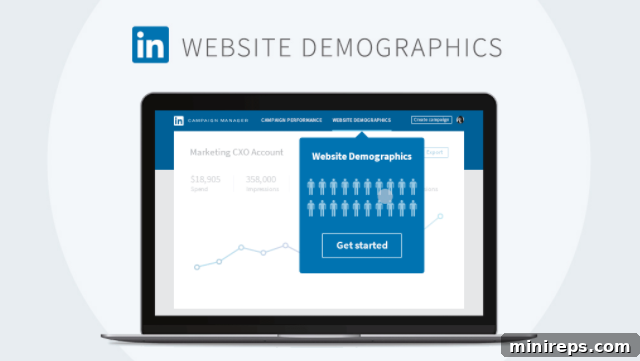
LinkedIn Website Demographics is a robust and completely free reporting tool designed to provide unparalleled insights into your website traffic. By harnessing data from its vast network of over 500 million members, LinkedIn transforms anonymous visitor data into actionable professional intelligence. This means you can move beyond general traffic statistics and gain a profound understanding of the real people behind those clicks – their careers, their industries, and their professional needs. This tool is a powerful ally for marketers, sales professionals, and business owners looking to optimize their online presence and deepen their market understanding.
The Power of Professional Attributes: 8 Key Filters to Refine Your Understanding
What sets LinkedIn Website Demographics apart is its ability to filter your website traffic data across eight distinct professional attributes. These filters allow you to segment your audience with remarkable precision, revealing intricate patterns and opportunities that traditional analytics tools simply cannot offer. Let’s explore each of these vital attributes and how they can empower your business decisions:
- Job Title: Pinpoint the exact roles of your website visitors. Are you attracting CEOs, marketing managers, software engineers, or HR specialists? Understanding job titles allows you to tailor your messaging and content to speak directly to the specific responsibilities and challenges of these professionals. For instance, a technical whitepaper would be structured differently if targeting CTOs versus junior developers.
- Industry: Identify which industries your website visitors belong to. This insight is crucial for businesses operating in niche markets or those looking to expand into new sectors. Are you primarily attracting visitors from technology, healthcare, finance, or manufacturing? This can inform your market expansion strategies, partnership opportunities, and even product development.
- Job Seniority: Discover the level of influence your visitors hold within their organizations. Are you engaging entry-level professionals, mid-level managers, directors, or C-suite executives? Knowing the seniority helps you craft content that addresses the strategic concerns of senior leaders or the hands-on needs of junior staff, ensuring your message is always relevant to their decision-making power.
- Job Function: Understand the primary function or department of your visitors. Whether they are in Sales, Marketing, Operations, IT, Finance, or Human Resources, each function has unique pain points and objectives. By knowing the job function, you can create targeted content, solutions, and calls to action that align perfectly with their departmental goals.
- Company: See which specific companies are visiting your website. This feature is particularly revolutionary for B2B businesses and is a cornerstone for effective Account-Based Marketing (ABM) strategies. Imagine being able to identify potential enterprise clients visiting your solutions page – this allows your sales team to prioritize outreach and personalize their approach.
- Company Size: Segment your audience by the size of the companies they work for. Do you primarily attract small businesses (SMBs), mid-market companies, or large enterprises? This distinction is vital as the needs, budget constraints, and decision-making processes vary significantly across different company sizes. Your pricing models, service offerings, and even website design might need to adapt accordingly.
- Location: Gain geographical insights into your website visitors. This attribute helps you understand regional market interest and can inform localized marketing campaigns, events, or sales territory planning. If you see significant traffic from a new city or country, it might indicate an untapped market opportunity.
- Country: For businesses with an international presence or global ambitions, identifying the countries your visitors hail from is indispensable. This helps in understanding global market penetration, localizing content for different cultures and languages, and complying with international regulations.
Beyond Static Data: Analyzing Performance with Date Range Filtering
The utility of LinkedIn Website Demographics extends beyond mere attribute identification. The tool also provides the crucial ability to filter data through specific date ranges. This dynamic feature transforms the insights from descriptive to analytical, enabling businesses to directly correlate their marketing efforts with audience response. Consider these practical applications:
- Website Updates: After launching a major website redesign or updating specific product pages, you can analyze the demographic shift or increase in interest from target groups. Did the changes attract more senior-level professionals or a new industry segment?
- New Product/Service Launches: When you introduce a new offering, you can monitor the demographics of visitors showing interest. This helps validate your target market assumptions and adjust your marketing messages if needed. Are the right companies engaging with your new solution?
- Marketing Campaigns: Whether you’ve pushed a LinkedIn Ad campaign, an email marketing blast, or a social media initiative, you can assess exactly what these changes produced in terms of your website audience. Did your B2B campaign successfully drive traffic from decision-makers at target companies? This direct attribution helps optimize future campaign spending and strategy.
This capability, much like the advanced audience insights offered by platforms such as Facebook Business for B2C markets, represents another significant evolution in how social media platforms empower marketers. They are no longer just channels for engagement but sophisticated tools for data-driven decision-making, allowing businesses to make more informed choices about their strategies and investments.
Strategic Applications: Transforming Insights into Action
The granular data provided by LinkedIn Website Demographics can be leveraged across virtually every facet of your business. Here’s how these insights can be transformed into actionable strategies:
1. Refining Your Content Strategy
Once you know who is visiting your site, you can create hyper-targeted content. If your analytics reveal a high percentage of marketing directors from the SaaS industry, you can produce blog posts, whitepapers, and case studies specifically addressing their challenges and interests. This ensures your content isn’t just informative, but deeply relevant and persuasive.
2. Optimizing Marketing Campaigns
The demographic data directly informs your paid advertising strategies. If you find a particular job function or company size is engaging with your content, you can refine your LinkedIn Ads targeting to reach more of these valuable prospects. This reduces wasted ad spend and increases campaign effectiveness. You can also craft ad copy that speaks directly to the identified professional attributes.
3. Empowering Sales Teams with Warm Leads
For B2B sales teams, the “Company” filter is revolutionary. Identifying specific companies that have visited key pages (e.g., pricing, demo requests) provides sales professionals with warm, intent-driven leads. They can then personalize their outreach, referencing the company’s prior engagement with your website, significantly increasing the chances of conversion.
4. Informing Product Development
Understanding the professional attributes of your user base can guide future product enhancements or new feature development. If a significant number of professionals from a specific industry are visiting your site, it might signal an opportunity to develop industry-specific solutions or integrations.
5. Enhancing Website User Experience (UX)
Demographic insights can help you tailor your website’s navigation, calls to action, and overall structure to better serve your primary audience. If your site attracts a lot of senior executives, a clear, concise path to high-level information might be preferred over highly detailed technical documentation on the homepage.
6. Advanced Account-Based Marketing (ABM)
LinkedIn Website Demographics is an indispensable tool for ABM. By identifying the specific target accounts visiting your site, you can coordinate personalized outreach efforts across marketing and sales. It allows you to track the engagement of your target accounts over time, moving them through the sales funnel more effectively.
7. Recruitment and Talent Acquisition
Even for HR and recruitment, this tool holds value. If your career pages are attracting professionals with specific job functions or seniorities, it helps you understand the effectiveness of your employer branding and recruitment marketing efforts. You can optimize your career site to attract the ideal candidates.
Distinguishing LinkedIn Website Demographics from Other Analytics Tools
While tools like Google Analytics provide invaluable data on visitor behavior, traffic sources, and general demographics (age, gender, interests derived from browsing history), LinkedIn Website Demographics offers a distinct and complementary advantage. Google Analytics focuses on *anonymous user behavior* and inferred demographics, whereas LinkedIn provides *verified professional attributes*. This means you’re not just guessing an industry or job title; you’re seeing data directly linked to a professional’s LinkedIn profile, offering a level of accuracy and professional relevance unmatched by other platforms.
When compared to Facebook Business insights, the distinction lies in the primary focus. Facebook excels at understanding consumer behavior and personal interests, making it powerful for B2C campaigns. LinkedIn, by contrast, is laser-focused on the professional sphere, making its Website Demographics an unparalleled resource for B2B marketers and businesses targeting specific professional segments.
The Future of Data-Driven Marketing is Here
The introduction of LinkedIn Website Demographics signifies a pivotal moment in the evolution of digital marketing. It pushes the boundaries of audience understanding, enabling businesses to move beyond broad assumptions and into a realm of precise, data-backed strategies. In an age where personalization and relevance are paramount, knowing the professional identities of your website visitors provides an undeniable competitive edge.
Whether you’re a burgeoning startup looking to identify your core market, a growing SMB aiming to optimize your content, or an enterprise seeking to refine your ABM strategy, this free tool offers the insights you need to make smarter, more impactful decisions. It empowers you to reach the right audience with the right content, at the right time, ultimately leading to improved engagement, higher conversion rates, and a significantly stronger ROI.
To further explore the capabilities and setup of LinkedIn Website Demographics, consider watching this insightful video below, which delves deeper into its features and practical applications:
https://www.youtube.com/watch?v=uFNGMes58tg&feature=youtu.be