

Fortify Your Digital Fortress: Empowering Your Domain with Free Two-Step Verification
In today’s interconnected world, our digital lives are more intertwined with our real lives than ever before. From personal websites and blogs to thriving e-commerce platforms and critical business infrastructure, our domain names represent our online identity and are often the cornerstone of our digital presence. Yet, despite the immense value we place on these assets, our security habits often lag behind the sophistication of modern cyber threats.
Let’s be honest with ourselves. We all know the golden rules of online security: create strong, unique passwords for every site, avoid clicking suspicious links, and never download software from unverified sources. But in the rush of daily life, convenience often trumps caution. We find ourselves recycling the same password across multiple platforms, sighing at the requirement for special characters, and occasionally clicking that intriguing link without a second thought. Who has the time, let alone the mental bandwidth, to meticulously manage hundreds of complex, distinct passwords?
If you’re nodding along, you’re not alone. These common human behaviors, while understandable, create significant vulnerabilities that hackers are all too eager to exploit. The reality is, stealing a password is often far easier than we’d like to believe. But what if there was a simple, yet incredibly powerful, solution that could shield us from the consequences of our own less-than-perfect security habits?
Why Your Domain’s Security is Non-Negotiable in the Digital Age
The internet is a vast and incredible resource, but it’s also a battleground where malicious actors constantly seek to exploit weaknesses. A compromised domain name can lead to devastating consequences: your website could be defaced, your customers’ data stolen, your brand reputation tarnished, or your business operations brought to a standstill. For businesses, a hijacked domain can mean significant financial loss, legal liabilities, and a complete erosion of trust with clients.
Threats like phishing, brute-force attacks, and credential stuffing are becoming increasingly sophisticated. Phishing scams trick users into revealing their login credentials, while brute-force attacks involve automated programs guessing passwords until they succeed. Credential stuffing leverages lists of stolen usernames and passwords from other data breaches, betting that users have reused their credentials. These methods are alarmingly effective against single-factor authentication (just a password), making a robust defense mechanism absolutely essential.
Your domain name isn’t just an address; it’s a vital digital asset. Protecting it with the highest level of security available should be a top priority for every domain owner, regardless of whether it’s for personal use or a large enterprise.

Don’t let a lapse in security leave you vulnerable. Tweet credit: @imteddybless on Twitter.
Introducing Google’s Two-Step Verification (2SV): Your Essential Security Upgrade
At 101domain, we are committed to providing you with the tools you need to safeguard your valuable digital assets. That’s why we’re thrilled to announce that we now offer Google’s Two-Step Verification (also known as Two-Factor Authentication or 2FA) to all our customers. This user-friendly, incredibly reliable system adds a crucial extra layer of security to your account, and the best part? You can enable it for free!
How Does Two-Step Verification Protect Your Account?
The core principle behind 2SV is simple yet powerful: it requires not one, but two different types of evidence to verify your identity when you log in. This typically involves “something you know” (your password) and “something you have” (like your phone or a security key). Even if a cybercriminal manages to obtain, crack, guess, or steal your password, they won’t be able to access your account without also having access to your second verification factor.
When you attempt to log in after enabling 2SV, you’ll enter your password as usual. Then, you’ll be prompted for a second verification code. This code can be sent to your registered phone via text message, delivered through a voice call, generated by a mobile authenticator app (like Google Authenticator), or accessed via a physical Security Key plugged into your computer’s USB port. Without this second piece of information, your account remains secure, effectively locking out unauthorized users.
The Unrivaled Benefits of Enabling 2SV for Your Domain
- Unparalleled Protection Against Hacking: This is the primary advantage. 2SV dramatically reduces the risk of unauthorized access. Even if your password falls into the wrong hands due to a data breach, a sophisticated phishing attack, or simple guessing, the attacker still cannot log in without your physical device or security key. This makes brute-force attacks and credential stuffing largely ineffective.
- Peace of Mind: Knowing that your domain, and all the content and services associated with it, is protected by a robust security measure offers invaluable peace of mind. You can operate your online business or manage your personal website with confidence, knowing you’ve taken a critical step to secure your digital presence.
- Protection Against Phishing: Many phishing attempts aim to steal your password. With 2SV, even if you accidentally fall victim to a clever phishing scam and enter your password on a fake site, the attackers still won’t have the second factor needed to access your actual account.
- Industry-Standard Security: Two-Step Verification is widely recognized and adopted by leading technology companies and security experts as an essential best practice for account security. By enabling it, you’re aligning your security posture with the highest industry standards.
- Cost-Effective Security: Unlike many premium security features, 101domain offers Google’s Two-Step Verification to you completely free of charge. This means you can significantly enhance your account security without incurring any additional costs.
- User-Friendly and Flexible: Despite adding a powerful layer of security, 2SV is surprisingly easy to set up and use. Google provides multiple verification methods (SMS, voice, app, security key), allowing you to choose the option that best fits your workflow and preferences.
- Control Over Account Access: Beyond protecting against external threats, 2SV can also provide an additional layer of control, ensuring that only authorized individuals with access to both the password and the verification device can log in, which is particularly useful in multi-user environments.
Getting Started: Enabling Google Two-Step Verification for Your 101domain Account
Enabling 2SV for your 101domain account is a straightforward process designed to be quick and intuitive. Follow these steps to fortify your digital fortress today:
Step 1: Access Your 101domain Account
Begin by logging into your account at my.101domain.com. Upon successful login, you may be prompted to install Google Authenticator directly, or you can easily navigate to the “Two Factor Authentication” link within your account menu or security settings. This page is where the magic begins, as it will display a unique QR code specifically generated for your account.
Step 2: Install Google Authenticator on Your Smartphone
The next crucial step is to download and install the Google Authenticator app on your smartphone. This app is available for both iOS and Android devices through their respective app stores (Apple App Store or Google Play Store). Once installed, open the application to prepare for setup.
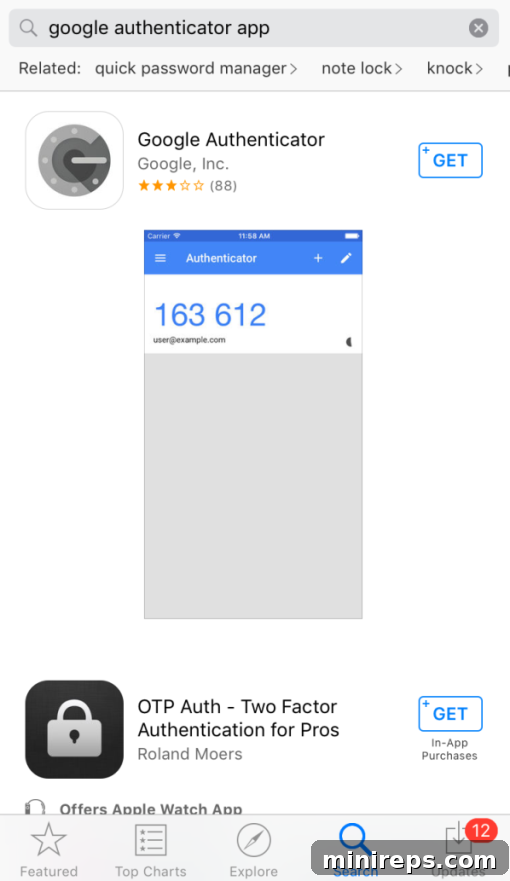
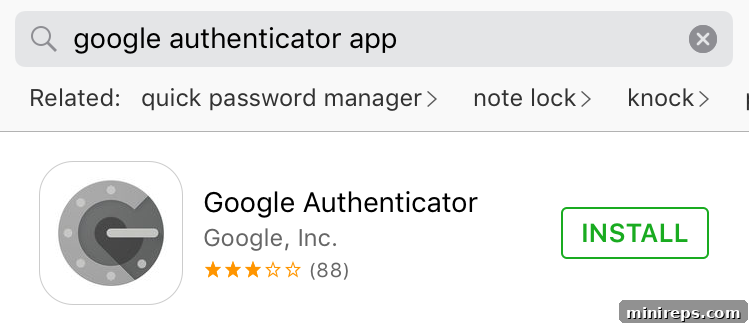
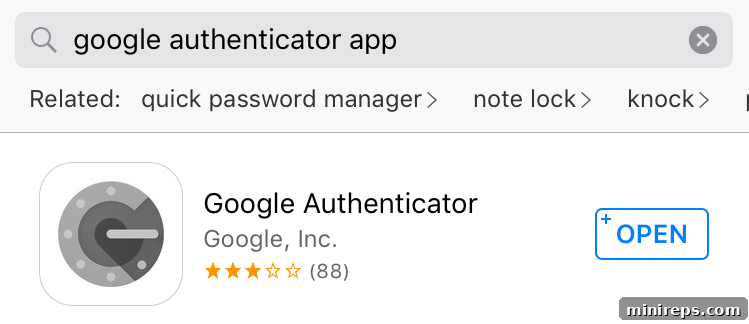
Step 3: Initiate the Setup Process in Google Authenticator
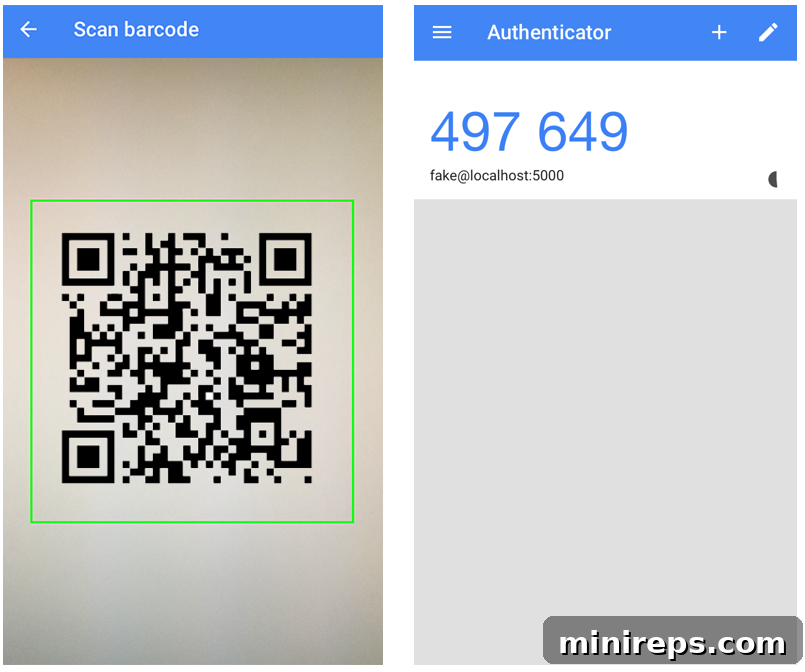
Within the Google Authenticator app, you’ll find an option to “BEGIN SETUP.” Tap this, and then select “SCAN BARCODE.” This will activate your phone’s camera, turning it into a QR code scanner.
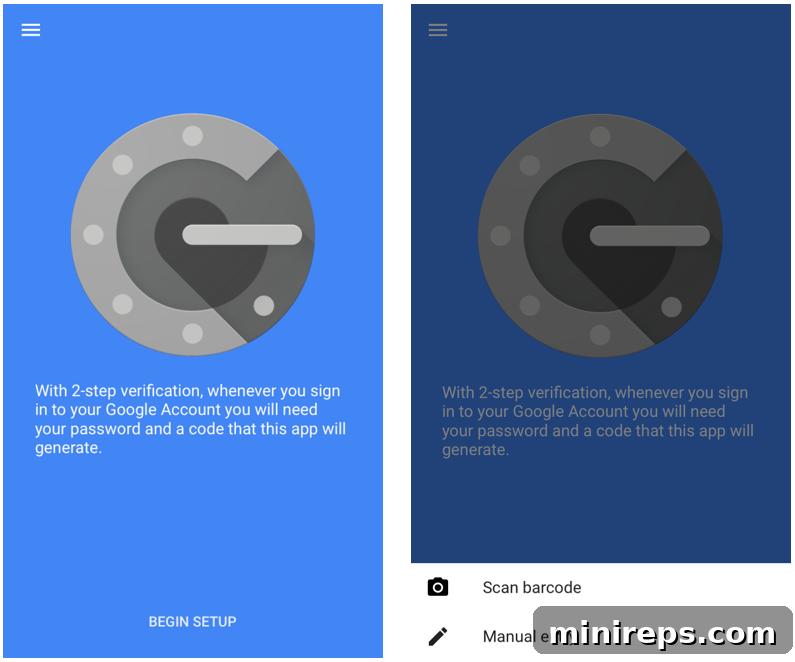
Step 4: Scan the QR Code and Enter the Verification Token
With your phone now in scanning mode, point your camera at the QR code displayed on your 101domain account page. You’ll see a green box indicating successful scanning. Once the QR code is scanned, the Google Authenticator app will instantly display a constantly changing 6-digit verification token. Return to your 101domain account page and enter this 6-digit token into the designated field to complete the activation process.
Step 5: Confirm and Enjoy Enhanced Security
After successfully entering the token, your Two-Step Verification will be activated. From this point forward, each time you log in to your 101domain account, you will be required to provide both your password and the unique, time-sensitive 6-digit code generated by your Google Authenticator app. This robust service acts as a powerful shield against common viruses, sophisticated hacker attacks, and insidious e-mail phishing schemes. It also provides an excellent framework for limiting account access by specific key personnel or ensuring secure logins even when accessing your account from untrusted networks.
Beyond Setup: Cultivating a Culture of Ongoing Security
While Two-Step Verification is an incredibly powerful tool, it’s part of a broader security ecosystem. Remember to keep your authenticator app updated, and always be vigilant against new phishing tactics that might try to trick you into revealing your codes. Regularly review your recovery options for 2SV, ensuring that if you lose your phone, you still have a way to access your account. A strong password combined with 2SV offers an almost impenetrable defense, but ongoing awareness is key to maintaining a truly secure online presence.
Protecting your domain name is protecting your digital identity and your future online endeavors. Don’t leave it to chance. The benefits of Two-Step Verification truly speak for themselves.
Take Control of Your Domain Security Today!
There’s no better time than now to take a proactive step towards securing your invaluable domain assets. With 101domain’s free Google Two-Step Verification, you can significantly enhance your protection against the ever-evolving landscape of cyber threats, all while enjoying unparalleled peace of mind.
Don’t wait for a security incident to realize the importance of 2SV. Visit my.101domain.com today to enable this essential security feature and fortify your digital fortress!