
In today’s digital landscape, establishing a strong online presence is paramount for any business. At the core of this presence lies your professional email address, often powered by robust platforms like Google Workspace. The ability to create a custom email such as [email protected], hosted on the familiar and user-friendly Gmail interface, is a significant advantage. This professional email not only reinforces your brand identity but also serves as a primary channel for communication, making its security and reliability indispensable. However, the efficacy of your professional email is deeply intertwined with the health and management of your domain name. Forgetting to renew your domain can lead to severe disruptions, including the inability to send or receive emails, potentially crippling your business operations and damaging your reputation.
Beyond the fundamental importance of domain renewal, there’s a crucial layer of protection that many businesses overlook: email authentication records. These specialized DNS records are your first line of defense against the ever-present threats of email-based cyberattacks. They play a vital role in preventing your legitimate business communications from being mistakenly flagged as spam, a common issue that can severely impact your email deliverability and engagement rates. More critically, email authentication actively thwarts malicious actors from spoofing your domain or impersonating your organization in sophisticated phishing emails. Such attacks can lead to significant financial losses, data breaches, and a severe erosion of customer trust. This article will delve into the essential Google Gmail email authentication records, explaining their functions and how they safeguard your digital communications. Furthermore, we’ll explore Google’s ongoing commitment to protecting its users from phishing and other malicious activities, ensuring a safer email experience for everyone.
Elevating Email Security: Setting Up Authentication for Google Gmail
In an era where email remains the cornerstone of business communication, ensuring its security is non-negotiable. Email authentication protocols are designed to verify the legitimacy of incoming messages and prevent unauthorized use of your domain by spammers and phishers. For businesses utilizing Google Workspace and Gmail, configuring these records is a critical step towards maintaining high email deliverability, protecting your brand, and safeguarding your recipients from malicious emails. Let’s explore the key authentication records you need to set up.
SPF (Sender Policy Framework)
What it does: SPF is a foundational email authentication method designed to detect forging sender addresses during email delivery. It works by allowing domain owners to publish a list of authorized mail servers that are permitted to send emails on behalf of their domain. This list is published as a TXT record in your domain’s DNS. When a receiving mail server receives an email from your domain, it performs an SPF check. Think of SPF as a guest list, and the receiving mail server as the bouncer. The bouncer checks if the sending server’s IP address is on your domain’s approved list. If the sending server is on the list, the email is more likely to be considered legitimate. If it’s not, the email may be flagged as suspicious, sent to spam, or even rejected entirely. This mechanism significantly reduces the chances of your emails being marked as spam and helps prevent unauthorized entities from impersonating your domain.
Why it’s essential: Without a properly configured SPF record, any server on the internet could potentially send emails purporting to be from your domain. This makes your domain highly susceptible to spoofing, where attackers send deceptive emails that appear to originate from your organization. A correct SPF record enhances your email deliverability, builds trust with recipient mail servers, and provides a basic but crucial layer of defense against impersonation attempts.
DKIM (DomainKeys Identified Mail)
What it does: DKIM provides a more robust layer of email authentication by adding an encrypted digital signature to every message sent from your domain. This signature acts as a tamper-proof seal, allowing receiving mail servers to verify two critical things: first, that the email actually originated from your domain (authenticity), and second, that its content has not been altered since it left your server (integrity). The process involves a pair of cryptographic keys: a private key, used by your sending server to sign the outgoing email, and a public key, published in your domain’s DNS records, which receiving servers use to decrypt and verify the signature. If the signature matches, the email is confirmed as authentic and untampered.
Why it’s essential: While SPF verifies the sender’s IP address, DKIM goes further by verifying the message content itself. This makes it an incredibly powerful tool against sophisticated spoofing and phishing attacks where attackers might attempt to modify the email’s content, headers (like the “From” address), or even the message body to deceive recipients. By ensuring message integrity, DKIM helps prevent malicious alterations that could turn a legitimate email into a vector for malware or phishing. It significantly boosts your email’s credibility and deliverability, especially when combined with SPF, as it provides a higher level of assurance to receiving mail systems that your emails are trustworthy and have not been compromised.
DMARC (Domain-based Message Authentication, Reporting & Conformance) (Advanced)
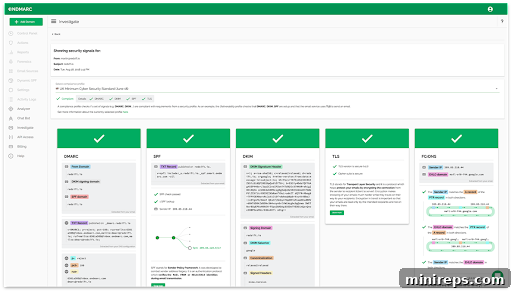
What it does: DMARC takes email authentication to an advanced level by building upon SPF and DKIM. It provides a comprehensive framework that tells receiving mail servers what to do with messages from your domain if they fail either SPF or DKIM checks. Instead of simply letting receiving servers decide, DMARC empowers you, the domain owner, to define a policy for non-compliant emails. These policies can range from monitoring (`p=none`), to quarantining (sending to spam, `p=quarantine`), or even outright rejecting (`p=reject`) emails that fail authentication. This level of control is crucial for preventing spoofed emails from reaching your recipients’ inboxes.
Beyond policy enforcement, DMARC’s true power lies in its reporting capabilities. It generates comprehensive reports that provide invaluable insights into your email ecosystem. These reports detail which messages pass or fail SPF and DKIM, identify legitimate sending sources, and, most importantly, expose unauthorized attempts to use your domain. By analyzing these aggregate and forensic reports, businesses can identify potential email attacks, misconfigurations, and other vulnerabilities, allowing for proactive adjustments to their email security strategy. Implementing DMARC not only fortifies your defenses against phishing and spoofing but also significantly improves your brand’s reputation and email deliverability by ensuring that only legitimate emails from your domain reach their intended recipients.
Achieving DMARC enforcement can be complex, requiring careful monitoring and adjustment to avoid rejecting legitimate emails. This is where expert assistance becomes invaluable. 101domain offers specialized DMARC services designed to simplify this intricate process and ensure maximum protection for your domain. Our services are tailored to help with the following:
- Expedited and Secure Setup: We streamline the DMARC implementation process, ensuring it’s done quickly, safely, and correctly the first time.
- Authorized Sender Control: Guarantee that only services explicitly authorized by you can send emails on your behalf, minimizing unauthorized usage.
- Recipient Inbox Directives: Configure DMARC policies to instruct recipient inboxes to reject unauthorized mail, preventing it from ever reaching your users or customers.
- Configuration Accuracy: Expertly verify that your DMARC is configured correctly, preventing legitimate emails from being mistakenly rejected and impacting your business communications.
- Comprehensive Reporting Analysis: Understand the complex DMARC reports, which provide clear visibility on who is using or attempting to use your domain, helping you identify and neutralize threats.
Don’t let the complexity of DMARC deter you from securing your email. Book a meeting with 101domain to discuss your email authentication strategy today. Our experts are ready to guide you through implementation and optimization. Reach us at +1.877.983.6624 for personalized assistance.
BIMI (Brand Indicators for Message Identification) (Advanced)
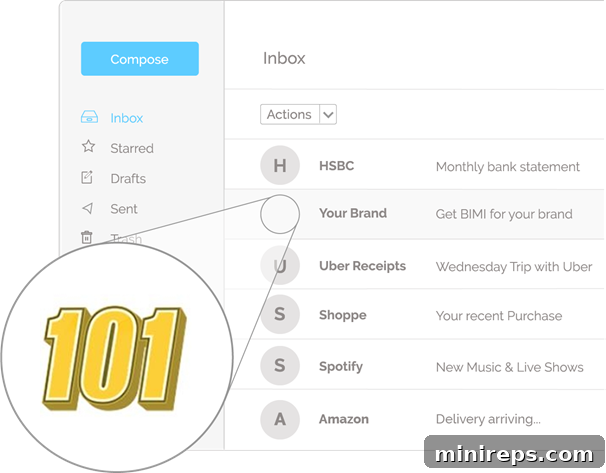
What it does: Brand Indicators for Message Identification (BIMI) is an exciting, emerging email standard that allows organizations to display their official brand logo directly within the recipient’s inbox. Once fully implemented and authenticated, your distinct brand logo will appear as an icon next to your emails, replacing generic placeholders. This visual cue serves as an immediate and powerful indicator of authenticity, allowing recipients to quickly verify that an email truly originated from your organization. It transforms the recipient’s experience, fostering immediate trust and brand recognition.
BIMI is not just about aesthetics; it’s a strategic move for brand protection and engagement. To qualify for BIMI, your domain must first achieve DMARC enforcement – meaning your DMARC policy is set to either ‘quarantine’ or ‘reject’. This prerequisite ensures a robust level of email authentication, proving your commitment to email security before your logo is displayed. In today’s crowded inboxes, BIMI offers a cutting-edge way for your brand to stand out, increase trust, and potentially improve email open rates and engagement by providing instant visual validation to your customers.
Interested in joining the BIMI program?
Implementing BIMI involves specific technical requirements, including securing a Verified Mark Certificate (VMC) and ensuring your DMARC policy is at an enforcement level. Navigating these requirements can be challenging. Book a meeting with 101domain to discuss getting BIMI certified and displaying your brand logo proudly in inboxes worldwide. Our specialists can assist you with every step of the process. Call us at +1.877.983.6624 to get started.
Google’s Proactive Measures: A New Feature to Prevent Phishing
Beyond empowering users with robust email authentication tools, Google consistently works to enhance its platform’s inherent security features. Recognizing the dynamic nature of cyber threats, Google recently introduced significant changes to its email notifications, specifically designed to further protect users from malware and phishing attempts within Google Workspace. When collaborating on popular Google Workspace applications like Google Docs, users frequently receive automated email notifications to alert them when someone has made a change, suggested an edit, or mentioned them in a comment. These notifications are essential for collaborative workflows but can also be exploited by attackers.
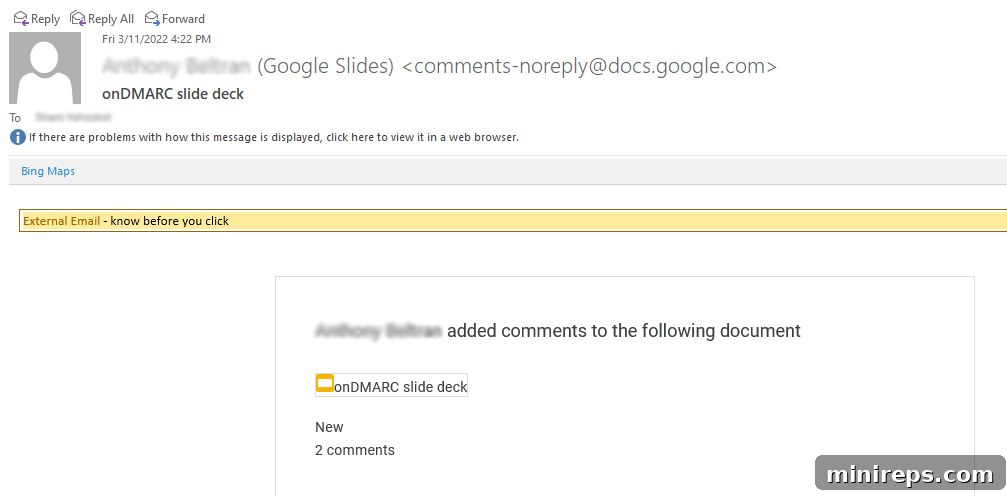
Historically, these email notifications would only display the commenter’s name, making it harder for users to immediately discern the legitimacy of the sender without additional verification. In response to the evolving threat landscape, Google’s most recent update thoughtfully adds the commenter’s full email address directly into the notification. This seemingly small but impactful change provides users with critical context, allowing them to feel more confident that they are receiving a legitimate email from a known and trusted contact, rather than a deceptive notification from an attacker attempting to impersonate someone they know. This added layer of visibility empowers users to quickly identify and flag suspicious communications, bolstering their personal defense against social engineering tactics.
We commend Google for its continuous efforts to enhance user safety and combat malicious attacks within the Google Workspace ecosystem. Such proactive security measures are vital in building a more secure digital environment for businesses and individuals alike. However, relying solely on platform-level protections is not enough. We strongly advocate for all Google Workspace users to take an active role in their email security by implementing and maintaining the discussed email authentication records for Gmail. As more companies transition to hybrid and remote work environments, the reliance on email communication intensifies, making businesses and employees increasingly vulnerable. Staying sharp and deploying comprehensive email security strategies is paramount to protecting against spam, sophisticated spoofing, and devastating phishing attacks. Secure your email, secure your business.