
Updated: February 5, 2025
Revolutionize your workflow and stop sharing files the old way!
Transform Your Team’s Productivity with Google Drive and Google Workspace
Most Google Workspace plans seamlessly include the essential tools for modern business, ensuring your team has everything it needs to thrive.

Embrace Modern File Sharing: The Google Drive Advantage
In today’s fast-paced business environment, efficient data organization, secure storage, and effortless collaboration are paramount. Many organizations struggle with outdated methods that lead to wasted time and lost productivity. Imagine a solution that empowers employees to instantly find the files they need, eliminating frustrating searches that consume valuable hours. Studies consistently show that employees can spend up to 20% of their business day merely searching for information. This translates to a significant drain on resources – akin to hiring five employees and having one of them consistently absent.
Google Workspace, with Google Drive at its core, offers a powerful antidote to these challenges. It’s built from the ground up to enhance team collaboration, ensuring your data is not only secure by design but also readily accessible. Say goodbye to concerns about storage capacity or the complexities of managing disparate file versions. Google Drive provides a unified, secure platform for all your company’s digital assets.
Beyond simple file storage, Google Drive empowers diverse business functions. You can easily back up critical website data, safeguarding your online presence, while simultaneously improving your team’s collaboration on projects. When you critically compare Google Drive to traditional cloud storage providers like Dropbox, or older, on-premise solutions, the comprehensive feature set, scalability, and integration benefits of Google Workspace consistently position it as the superior choice for modern businesses.
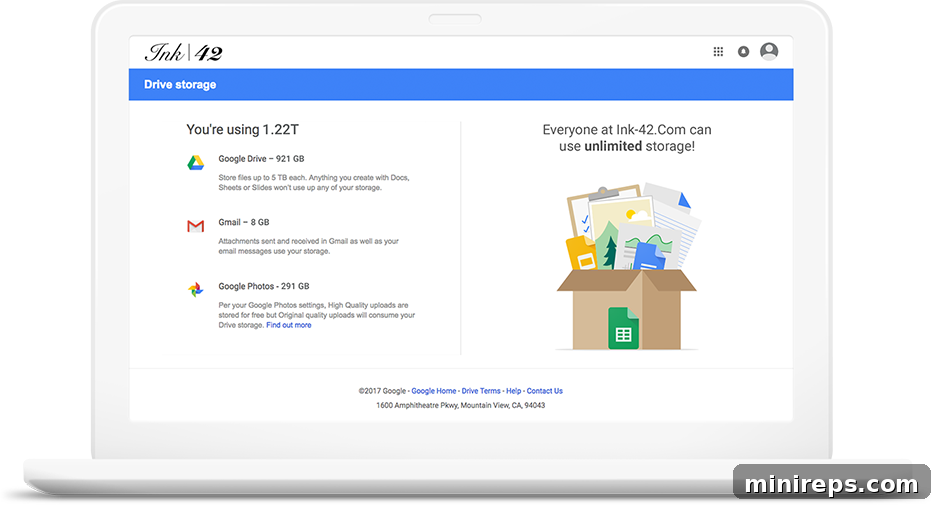
Uncapped Storage Capacity Tailored for Your Business
Never worry about running out of space again. Google Workspace provides incredibly flexible storage options designed to scale with your business needs, from small startups to large enterprises. This means your team will always have ample room for all files, documents, projects, and archives, eliminating the constant burden of managing storage limits.
Starting at a generous 30 GB per user with Google Workspace Business Starter plans, and escalating to truly unlimited cloud storage per user with Google Workspace Enterprise Plus, you gain the peace of mind that all your digital assets are securely stored and readily accessible. This eliminates the need for expensive hardware upgrades, cumbersome local servers, or constant data migrations, allowing your IT resources to focus on innovation rather than infrastructure maintenance.
Seamless Real-Time Collaboration and Editing
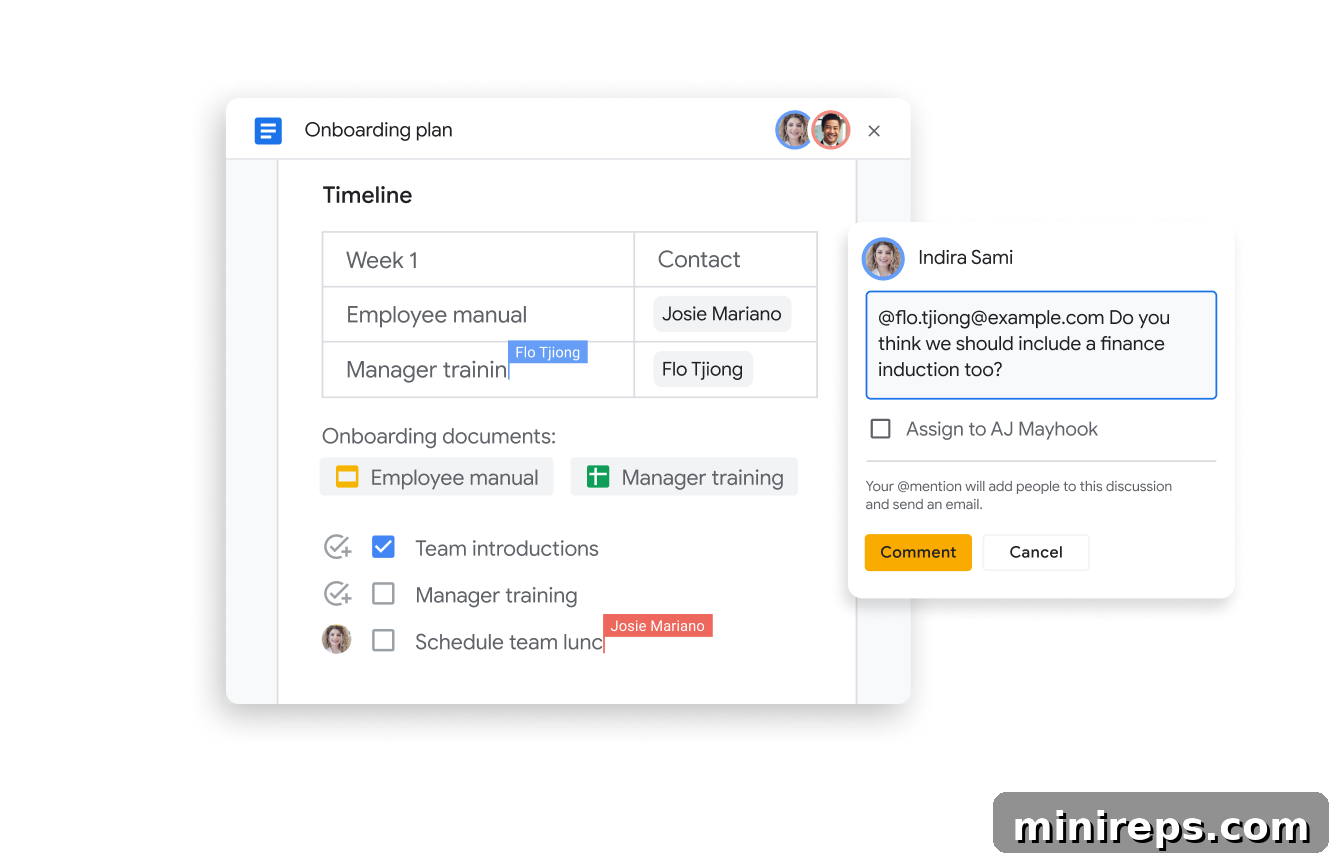
Google Workspace revolutionizes teamwork by making co-editing an effortless and integral part of your daily operations. Gone are the days of sending multiple email attachments, merging versions, and dealing with conflicting edits. With Google Drive, you and your team can work together in real-time on Google Docs, Sheets, or Slides, fostering a dynamic and truly collaborative environment.
Every team member can contribute simultaneously, see changes as they happen, and provide immediate feedback. Beyond basic editing, Google Drive integrates powerful features like smart chips, allowing you to easily link to other relevant files, automatically insert dates, specify locations, or even tag specific team members directly within your document. This rich context keeps everyone informed and connected.
Furthermore, you can assign tasks, leave targeted comments, and send email notifications directly from within the file itself. This integrated approach helps your team stay organized, ensures accountability, and significantly accelerates project completion by streamlining communication and workflow.
Comprehensive File Version History and Tracking
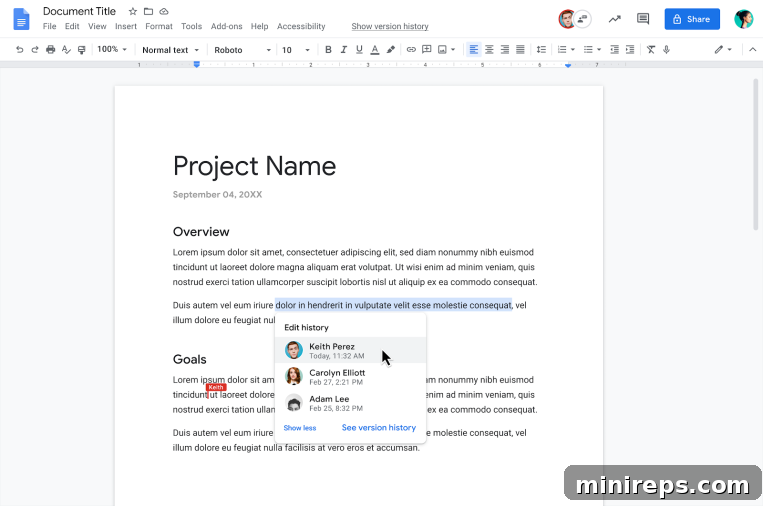
When multiple individuals are collaborating on a single file, it can be incredibly challenging to keep track of who changed what, and when. In the past, this often led to the tedious practice of saving multiple drafts of files – “Project_Final.docx,” “Project_Final_v2.docx,” “Project_Final_JohnsEdits.docx” – creating confusion and risking the loss of important revisions. Google Drive eliminates this complexity entirely.
Google Drive maintains a comprehensive and automatic version history for every file. This powerful feature allows you to effortlessly view all previous versions of your document, spreadsheet, or presentation. You can easily see who made specific changes and at what time, ensuring full transparency and accountability within your team. Should you need to revert to an earlier state, perhaps to undo an accidental deletion or review a previous iteration, restoring an older version is a simple click away. This robust version control safeguards against accidental data loss and provides an invaluable audit trail for all your collaborative projects.
Advanced Control Over File Sharing Permissions
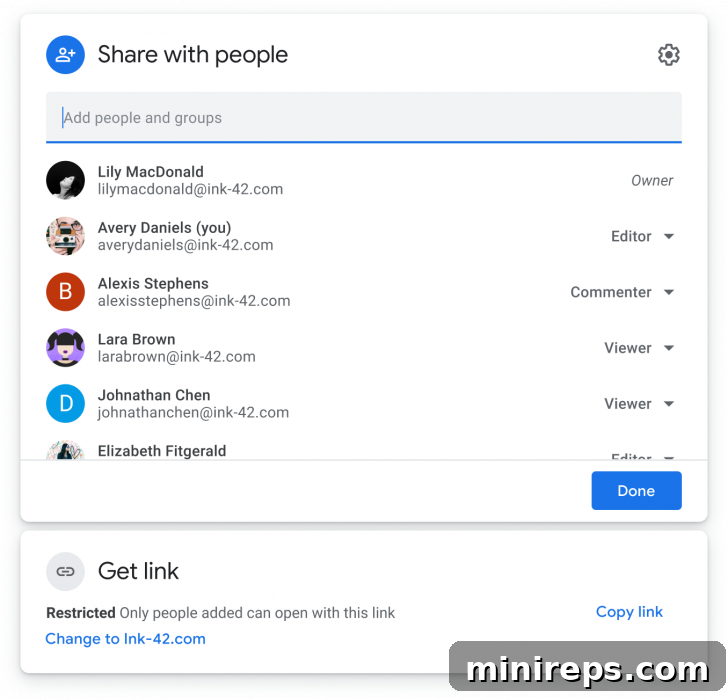
Security and control over your sensitive information are paramount. Google Drive gives you complete mastery over how your files are shared, ensuring they remain private until you deem them ready for wider access. When the time comes to collaborate or distribute, the process is incredibly intuitive and flexible.
You can effortlessly grant various levels of access to others, choosing whether they can simply view your documents, add comments, make edits, or even download copies. This granular control allows you to tailor permissions precisely to each collaborator’s role, minimizing risk and maximizing efficiency. For even greater security, you have the option to set expiration dates for shared files, automatically revoking access after a specified period – perfect for temporary projects or external contractors.
Furthermore, because Google Drive is entirely cloud-based, you gain the ultimate flexibility. You and your team can access all your Google Workspace applications, including Google Drive and its extensive array of files, anytime, anywhere, and on any device. Even without an active internet connection, you can continue working on essential documents offline, with all changes automatically syncing the moment you reconnect. This ubiquitous access ensures your team remains productive, regardless of their physical location or network availability.
Centralized Team File Organization with Shared Drives
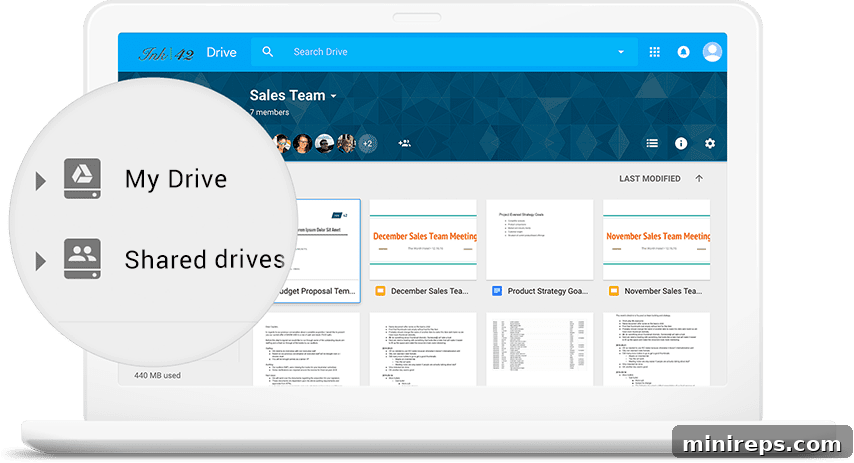
For organizations focused on robust team collaboration and continuity, Shared Drives (formerly Team Drives) are a game-changer. These secure, easy-to-manage shared spaces are specifically designed to store your team’s collective work, ensuring that critical data is owned by the team, not by individual accounts.
When files are added to Shared Drives, they become collectively owned, meaning everyone with access permissions can view, edit, and contribute to them. This eliminates the risk of data loss or access issues if an individual employee leaves the company, as the files remain accessible to the team. Shared Drives simplify onboarding for new team members, as they instantly gain access to all relevant project files in one centralized location. Administrators can easily manage permissions at the team level, ensuring consistent access controls and enhanced data governance across departments and projects.
This powerful feature significantly streamlines project management, fosters better team alignment, and ensures that everyone is always working from the most current version of documents. The Shared Drives feature is available starting with Google Workspace Standard plans and all higher-tier subscriptions, providing scalable solutions for growing businesses.
Optimize Local Disk Space with Google Drive for Desktop
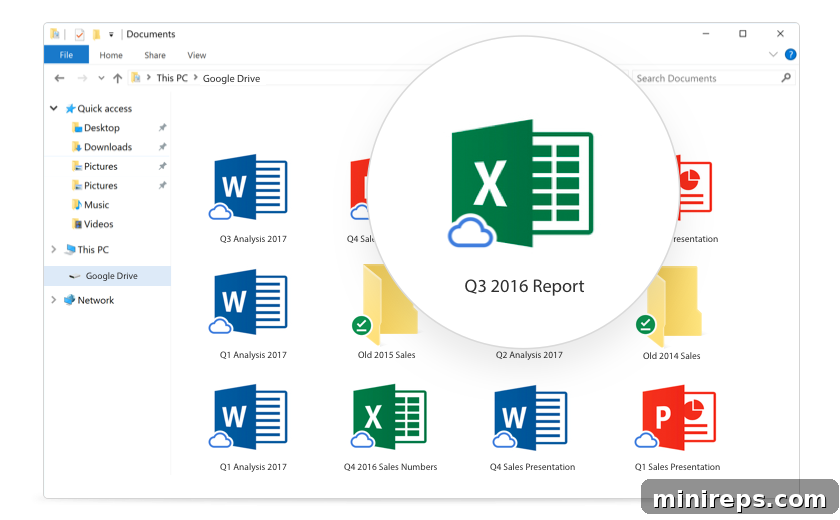
One of the persistent challenges with extensive cloud storage has been the impact on local disk space. Google Drive for desktop, formerly known as Google File Stream, ingeniously solves this problem. It allows you to access all your Google Drive files directly from your computer’s file explorer (Finder on Mac, File Explorer on Windows) without actually downloading and storing every single file locally. This “on-demand” approach means your files are streamed from the cloud only when you need them.
The benefits are immediate and significant. Your computer will run faster because its hard drive isn’t bogged down by massive synced folders. You’ll spend less time waiting for files to sync across devices and more time being productive. It seamlessly integrates with your existing desktop applications, allowing you to open and edit Drive files using programs like Adobe Photoshop or Microsoft Office, with changes automatically saving back to the cloud.
This intelligent synchronization ensures you have access to your entire cloud library as if it were local, without compromising your device’s performance or storage capacity. To learn how to get started and maximize your efficiency with Google Drive for Desktop, refer to this comprehensive Google Workspace Learning Center guide.
Work Smarter, Not Harder, with Google Gemini in Google Drive
Google Drive has long utilized the power of Google AI to help users quickly find what they need, intelligently predicting and highlighting essential files in real-time. Now, the revolutionary capabilities of Google Gemini are being integrated directly into Google Workspace plans, poised to elevate your Drive experience to unprecedented levels of intelligence and efficiency.
With the ability to access and process all Drive files a user has permission to view, Gemini provides deeper insights, more relevant responses, and proactive assistance. Imagine asking a question and Gemini instantly sifting through hundreds of documents, spreadsheets, and presentations to provide a concise summary or a direct answer. It can help you draft emails based on meeting notes in a Google Doc, generate content for a presentation using data from a Google Sheet, or even help organize complex project folders based on content analysis.
This powerful generative AI transformation will help your team work smarter, boost overall productivity, and foster even more efficient collaboration. By automating routine tasks, surfacing critical information, and assisting with content creation, Gemini in Google Drive empowers you to focus on strategic initiatives and creative problem-solving, driving your business forward with unparalleled speed and intelligence.
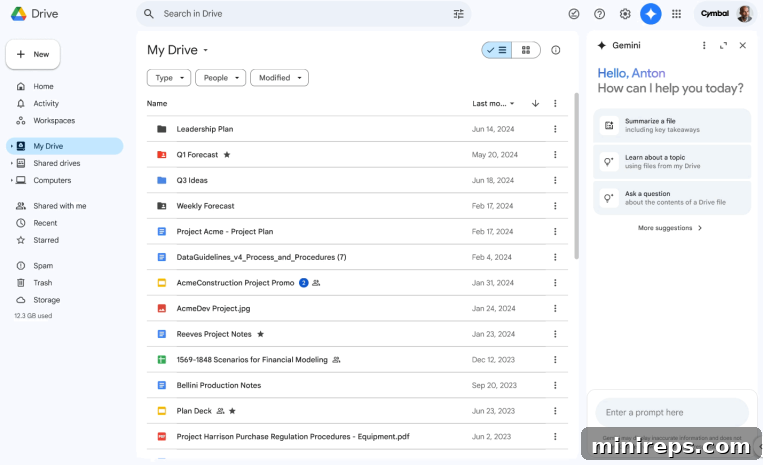
Google Drive is an essential, integrated component of
Google Workspace is a comprehensive collection of productivity and collaboration tools meticulously designed to help individuals, teams, and entire businesses achieve more with fewer distractions. It unifies communication, creation, and collaboration into a seamless, secure ecosystem.