


Congratulations on taking a proactive step towards superior email deliverability and robust online security! You’ve recently leveraged our powerful and free SPF Checker Tool to gain insights into your domain’s email authentication health. Now that you have your results, it’s essential to understand what each section means for your email operations, sender reputation, and overall digital presence. This comprehensive guide is designed to demystify your SPF report, empowering you to interpret the data, identify potential issues, and take informed action to optimize your email infrastructure.
In today’s digital landscape, email remains a cornerstone of communication for businesses and individuals alike. Ensuring your emails reach their intended recipients without being flagged as spam or falling victim to spoofing attacks is paramount. An SPF (Sender Policy Framework) record is your first line of defense, a crucial email authentication method that helps prevent spammers from sending messages on behalf of your domain. Our SPF Checker Tool provides a detailed breakdown of your record’s configuration, offering vital information to enhance your email security and maximize deliverability.
Let’s dive deep into your report and unravel each critical component.
1. Lookup Count: Understanding the 10-Lookup Limit
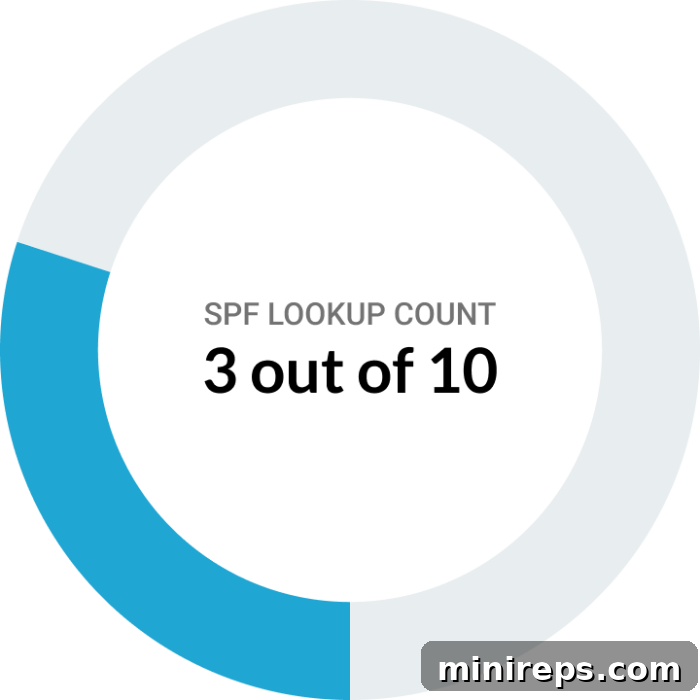
The Lookup Count in your SPF report reveals how many DNS queries your SPF record needs to perform to fully verify an email sender’s legitimacy. When an email server receives a message, it checks your domain’s SPF record. If that record includes mechanisms like `a`, `mx`, `ptr`, `exists`, or `include` that point to other domains, a DNS lookup is initiated for each. This process is crucial for email authentication, but it comes with an important technical constraint.
To prevent abuse, performance issues, and potential denial-of-service attacks on DNS servers, the SPF specification (RFC 7208) imposes a strict limit of 10 DNS lookups for an SPF record. Exceeding this “10-lookup limit” can lead to significant problems: your SPF record will fail to validate, resulting in a “PermError” (Permanent Error). When this happens, legitimate emails sent from your domain may be flagged as spam, rejected by recipient mail servers, or simply not delivered. This directly impacts your email deliverability, sender reputation, and overall communication effectiveness.
Maintaining a low Lookup Count is paramount. A healthy SPF record stays well within this limit, ensuring that recipient email servers can efficiently verify your sending sources without encountering errors. If your report indicates a high lookup count, especially one approaching or exceeding 10, it’s a strong signal to optimize your SPF record. Common strategies include flattening your SPF record, consolidating `include` statements, and removing unnecessary or deprecated mechanisms. Keeping your Lookup Count low ensures your emails are correctly authenticated and reach their intended inboxes, safeguarding your valuable email communications from being mistakenly blocked or lost.
2. SPF Status: Decoding Your Domain’s Email Health
The SPF Status section provides a critical overview of your domain’s SPF record configuration and operational health. This quick snapshot indicates how well your SPF record is protecting your domain from unauthorized email sending. Understanding each status is vital for maintaining high email deliverability and a strong sender reputation.

Valid: This is the ideal status. It means your SPF record is correctly configured, syntax-compliant, and functioning exactly as intended. Email servers can successfully verify messages sent from your domain against your authorized senders. You’re in excellent shape, ensuring maximum email deliverability and protection against spoofing. Continue to monitor your SPF record periodically, especially after adding new email services.
Neutral: A “Neutral” status indicates that your SPF record exists, but it doesn’t explicitly declare whether a sending source is allowed or denied. This typically happens when your record ends with `?all` (e.g., `v=spf1 include:_spf.example.com ?all`). While not necessarily a problem that causes immediate rejections, it offers minimal protection against spoofing. Recipient servers will treat emails from unlisted sources as “neutral,” meaning they neither pass nor fail SPF authentication. This ambiguity can sometimes impact deliverability or reduce trust. It’s advisable to review your SPF record and consider a more explicit policy like `~all` (softfail) or `-all` (fail) to enhance security.
Vulnerable: This status is a red flag, signaling potential weaknesses in your SPF record that could compromise your email security. A “Vulnerable” status often implies that your SPF record is too broad, allowing unauthorized senders to potentially spoof your domain, or it might be missing crucial authentication mechanisms. For instance, if your record uses `+all`, it effectively allows *any* server to send email on your behalf, rendering SPF useless. Immediate attention is required to narrow down your authorized sending sources and adopt a more secure SPF policy. Revisit your setup to address these vulnerabilities promptly to prevent phishing and spoofing attacks.
RFC Violation: An “RFC Violation” means your SPF record does not adhere to the technical standards and specifications outlined in the Request for Comments (RFC) documents that govern SPF. This could be due to incorrect syntax, multiple SPF records for a single domain, or invalid mechanisms. Such violations prevent recipient mail servers from properly interpreting your SPF record, often leading to a “PermError” and thus impairing email delivery. Emails sent from your domain may be treated as unauthenticated or suspicious, leading to rejection or placement in spam folders. Rectifying RFC violations is crucial for ensuring your SPF record is functional and effective.
Permanent Error (PermError): This is a critical issue indicating a fundamental problem with your SPF record that prevents it from being processed. Common causes include exceeding the 10-DNS-lookup limit, having multiple SPF records for the same domain, using invalid syntax, or referencing non-existent domains in `include` statements. When a PermError occurs, recipient email servers cannot properly authenticate your messages, meaning all emails from your domain will likely fail SPF checks. This status demands immediate attention. Without a correctly functioning SPF record, your domain is highly vulnerable to spoofing, and your legitimate emails face severe deliverability challenges. Fixing the underlying errors is essential for proper email validation and securing your sender reputation.
3. Email Sender Count: Managing Your Authorized Sending Sources
The Email Sender Count in your report provides a clear tally of how many distinct servers, services, or domains are explicitly authorized to send emails on behalf of your domain, as defined within your SPF record. While the Lookup Count focuses on the number of DNS queries performed during SPF validation, the Email Sender Count is about the *quantity* of legitimate email sources you have integrated into your SPF policy. This metric is crucial for understanding the breadth of your email sending ecosystem.
In modern business environments, it’s common for organizations to use a variety of third-party services for email communication. This includes popular email sender software and platforms such as Microsoft 365, Google Workspace (Gmail), Salesforce, Mailchimp, SendGrid, HubSpot, and many others for transactional emails, marketing campaigns, and customer service. Each of these services, when configured to send emails from your domain, needs to be correctly listed in your SPF record using `include` mechanisms or IP addresses.
Keeping your Email Sender Count accurate and clearly defined is essential for security and deliverability. It helps you maintain awareness of all parties authorized to send emails from your domain, reducing the risk of unauthorized sending and potential abuse. A well-managed list ensures that only legitimate sources pass SPF checks, strengthening your defense against phishing and spoofing attempts. Conversely, if your SPF record is missing an authorized sender, emails from that service will fail SPF validation, leading to deliverability issues. Regularly reviewing this count helps you confirm that your SPF record accurately reflects all your active email sending services and prune any outdated or unused entries, ensuring optimal email authentication and trust.

4. DMARC Status: Elevating Your Email Security and Brand Protection
DMARC (Domain-based Message Authentication, Reporting & Conformance) represents the next frontier in email security, building upon SPF and DKIM (DomainKeys Identified Mail) to offer comprehensive protection against email fraud. While SPF authenticates the sending server and DKIM verifies that the email hasn’t been tampered with in transit, DMARC brings these two together, ensuring alignment between the “From” address seen by recipients and the authenticated domain. It plays a critical role in protecting your domain from unauthorized use, such as sophisticated phishing campaigns, email spoofing, and business email compromise (BEC) attacks.
By implementing a proper DMARC policy, you gain unprecedented control over how recipient email servers should handle messages that fail SPF or DKIM authentication checks. A strong DMARC status signifies that your domain has an active and effective policy in place, instructing receiving servers whether to `reject` (block delivery entirely), `quarantine` (send to spam), or simply `monitor` (allow delivery while reporting on failures) unauthenticated emails. This control is invaluable for safeguarding your brand’s reputation and preventing malicious actors from impersonating your domain.

Beyond its defensive capabilities, a robust DMARC implementation ensures your legitimate emails are trusted and reach their intended recipients without issues. DMARC also provides valuable aggregate and forensic reports, offering visibility into who is sending email purporting to be from your domain, whether authorized or not. Regularly reviewing these DMARC reports is crucial. They provide data-driven insights, allowing you to fine-tune your policies, identify legitimate sending sources that might not yet be authenticated, and proactively address any unauthorized use. A strong DMARC status not only defends your domain from being exploited by cybercriminals but also significantly enhances your email deliverability, fostering trust and reliability in your communications.
5. BIMI Status: Visually Verifying Your Brand Identity
BIMI (Brand Indicators for Message Identification) is an emerging email standard that revolutionizes brand presence in the inbox. It goes beyond security by focusing on enhancing the visual identity and trustworthiness of your emails. A positive BIMI status signifies that your domain has successfully configured the necessary components to display your verified brand logo directly alongside your messages in supporting email clients (like Gmail, Yahoo Mail, and Apple Mail). This creates an immediate, recognizable visual cue for recipients, reinforcing your brand identity even before the email is opened.
Implementing BIMI requires several prerequisites, including a strong DMARC policy enforced at a `quarantine` or `reject` level and, for many email providers, a Verified Mark Certificate (VMC) for your logo. A VMC is a digital certificate that verifies your ownership of the logo and associated brand, adding an extra layer of trust and security. When your BIMI status is healthy, it means all these components are correctly aligned, allowing your brand logo to be displayed prominently to recipients.

The benefits of a positive BIMI status are significant for brand recognition and customer engagement. This visual authentication not only makes your emails stand out in a crowded inbox but also builds immediate trust with recipients by confirming the message’s authenticity at a glance. In an era where email users are increasingly wary of phishing and spoofing, BIMI acts as a powerful trust signal, assuring recipients that the email truly comes from your brand. This visual verification can lead to improved open rates, higher engagement, and ultimately, a stronger brand reputation. As email clients continue to adopt BIMI, its importance for brand trust and open rates will only continue to grow, making it an indispensable tool for any brand serious about its email marketing and communication strategy.
Ready to Master Your Email Security and Deliverability?
Understanding the intricacies of your SPF report is the first crucial step towards a secure and highly performant email infrastructure. By meticulously analyzing your Lookup Count, SPF Status, Email Sender Count, DMARC Status, and BIMI Status, you gain the power to significantly improve your email deliverability, bolster your brand’s reputation, and effectively shield your domain from unwanted senders, phishing attempts, and spoofing attacks. Ensuring your legitimate emails consistently reach their destination safely is not just a technicality; it’s a fundamental aspect of reliable business communication and brand trust.
If you’ve reviewed your report and have questions, require clarification on complex issues, or need expert guidance to implement the necessary improvements, our team is here to help. Don’t let email authentication challenges compromise your communication efforts. Schedule a personalized consultation with one of our dedicated solutions experts today. We’re committed to providing the support you need to optimize your email ecosystem and ensure your messages land exactly where they belong!